 العربية السعودية
Button Jeweller
زر ذكي / زر ذعر لاسلكي
زر واحد وإمكانات غير محدودة.
يمثّل Button Jeweller جهاز متعدد الأغراض يدعم ثلاثة أوضاع تشغيل. في وضع الذعر، يخطر الزر شركات المراقبة والمستخدمين على الفور بحالات الطوارئ، بما في ذلك التسلُّل، والحرائق، والغاز، وإنذار المساعدة، والمزيد. حيث تتيح الإشعارات التفصيلية استجابة للتهديدات بسرعة على النحو المطلوب. وفي وضع التحكُّم، يشغّل الزر سيناريوهات التشغيل الآلي بضغطة واحدة أو ضغطة مزدوجة. بالإضافة إلى ذلك، يكتم Button Jeweller إنذارات الحريق في وضع كتم صوت إنذار الحريق.
ثلاثة أوضاع تشغيل1
زر الذعر
وضع التحكُّم
كتم صوت إنذار الحريق
الحماية من الضغطات العرضية
بفضل خياري الضغطة الطويلة أو الضغطة المزدوجة4


التحقّق التلقائي من شحن البطارية
التحقُّق من مستوى شحن البطارية دون الضغط على الزر

شحن البطارية:
جيد
حتى 1,300 متر
نطاق الاتصال اللاسلكي2 مع لوحة تحكُّم Ajax أو موسّع النطاق
اتصال Jeweller اللاسلكي

تعديل الطاقة
التشغيل لمدة تصل إلى 5 سنوات
اعتمادًا على البطارية المُدمجة

تهيئة وتحكُّم عن بُعد

إشعارات إخبارية فورية

Ajax
المنزل: المقبس قيد التشغيل، سيناريو الضغط على Button
حرج
Ajax
المصرف: تم الضغط على زر ذعر التسلُّل
لونان

احمله معك أو علقه على سطح باستخدام 3Holder

يمكنك الجمع بين أجهزة من جميع فئات المنتجات في نظام Ajax: الحماية من التسلُّل، أو المراقبة بالفيديو، أو الحماية من الحرائق وسلامة الأرواح، أو الراحة والتشغيل الآلي. فيمكنك إنشاء نظام يناسب احتياجاتك وإدارته في واجهة واحدة.
مُصمّم ليناسب أي مكان

مكتب

متجر

منزل

مرفق إنتاج
زر واحد لكل المهام

وضع الذعر

وضع التحكُّم

كتم صوت إنذار الحريق
يعمل Button Jeweller في وضع واحد فقط من الأوضاع الثلاث في المرة. ويستطيع المحترف (PRO) تحديد الوضع وتغييره عن بُعد في تطبيق Ajax في أي وقت.
سيناريوهات تجعل الحياة أسهل
تبسيط إدارة الأجهزة الكهربائية
يتيح Button Jeweller للمستخدمين إدارة الإضاءة أو الأجهزة بضغطة واحدة. فيمكنك مثلاً تهيئة الزر لتشغيل جميع مصابيح المكتب بضغطة قصيرة وإيقافها بضغطة طويلة. حيث يوفر سيناريو التشغيل الآلي البسيط على المستخدمين عناء تشغيل كل مصباح في المكتب.
Button Jeweller
Outlet [type F] Jeweller
تشغيل/إطفاء المصابيح

تحكُّم مريح في الأبواب وشيش الحصيرة
يستطيع Button Jeweller المساعدة في تجهيز المنشأة في بداية اليوم أو نهايته بضغطة واحدة. حيث ينشّط الجهاز سيناريوهات فتح الأبواب، ورفع شيش الحصيرة بضغطة قصيرة أو قفلها وإغلاقها بضغطة طويلة.
Button Jeweller
Relay Jeweller
شيش الحصيرة

إدارة مرنة للإضاءة
يستطيع Button Jeweller بدء سيناريوهات التشغيل الآلي للتحكُّم في الإضاءة في جميع أنحاء المنشأة أو في غرف معينة. فيمكن مثلاً ضبط الجهاز لإشعال الأضواء بضغطة واحدة وإطفائها بضغطة مزدوجة.
Button Jeweller
LightSwitch Jeweller
تشغيل/إطفاء الأضواء

ضبط سريع لدرجة الحرارة
يمكنك التحكُّم في التدفئة بسهولة خلال مواسم البرد. حيث يستطيع Button Jeweller تنشيط التدفئة تحت الأرضيات أو أجهزة التدفئة الأخرى كجزء من سيناريو تشغيل آلي مضبوط.
Button Jeweller
WallSwitch Jeweller
التدفئة

تصميم يمنع الإنذارات الكاذبة
صُمِّمَ غلاف Button Jeweller لمنع الضغطات العرضية في حالة جلوس المستخدم أو اتكائه عليه. ولزيادة الأمن، يمكن ضبط الجهاز للاستجابة للضغطة المزدوجة أو الطويلة فقط4.
زر غائر لمنع الضغطات غير المقصودة
تنشيط إنذار اختياري بضغطة طويلة أو مزدوجة4

موثوق في أي مكان
لقد صُمِّمَ Button Jeweller للعمل في أي بيئة، حيث يعمل في ظروف متنوعة بفضل غلافه المتين المقاوم للماء والغبار بتصنيف IP55. فيعمل الجهاز بشكل موثوق في الظروف القاسية، سواءًا كان شتاءً قارسًا في هولندا أو صيفًا حارقًا في الإمارات العربية المتحدة بفضل اتساع نطاق درجة حرارة التشغيل. يمكن ارتداء الزر على المعصم، أو حمله في سلسلة مفاتيح، أو تثبيته على سطح باستخدام الملحق 3Holder.

إمكانية حمله أو تعليقه3
مقاومة الماء والغبار بتصنيف IP55
يعمل في نطاق درجة حرارة من -10 حتى +40 درجة مئوية

مرونة من دون أسلاك وأداء موثوق
يعمل Button Jeweller اعتمادًا على بطارية مُدمَجة لمدة تصل إلى 5 سنوات. تخضع حالة البطارية لمراقبة تلقائية يوميًا عبر الخيار "الفحص التلقائي لشحن البطارية". كما توفر تحذيرات انخفاض مستوى شحن البطارية المبكّرة في تطبيقات Ajax وقتًا كافيًا لفنيي التركيب من أجل استبدال البطارية دون تعطيل عمل الزر.
تركيب دون أسلاك
البطارية المُدمجة تكفي لتشغيله لمدة تصل إلى 5 سنوات
التحقّق التلقائي من شحن البطارية يوميًا


Jeweller
تقنية لاسلكية فريدة
يستخدم نظام Ajax اتصالاً لاسلكيًا آمنًا ثنائي الاتجاه يعتمد على بروتوكول Jeweller المسجّل. حيث يوفر التشفير الجماعي ومصادقة الجهاز في كل جلسة اتصال مع لوحة التحكُّم لمنع التخريب، أو الانتحال، أو سرقة البيانات.
نطاق الاتصال اللاسلكي مع لوحة التحكُّم أو موسّع النطاق يصل إلى 1,300 متر2.
اتصال لاسلكي مشفر ثنائي الاتجاه
إشعارات بالتشويش وانقطاع الاتصال
موسّع وشامل
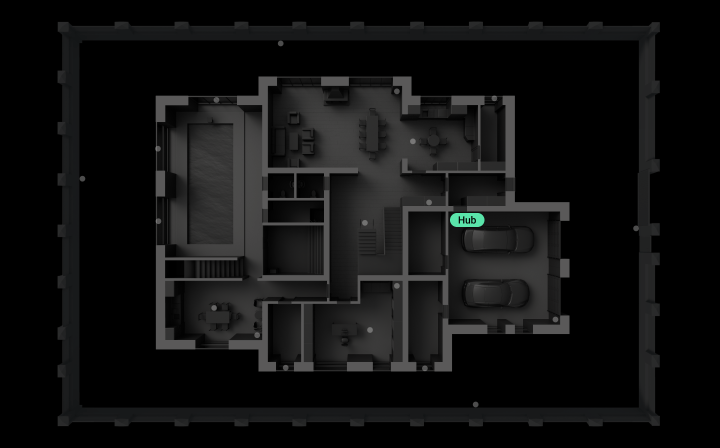
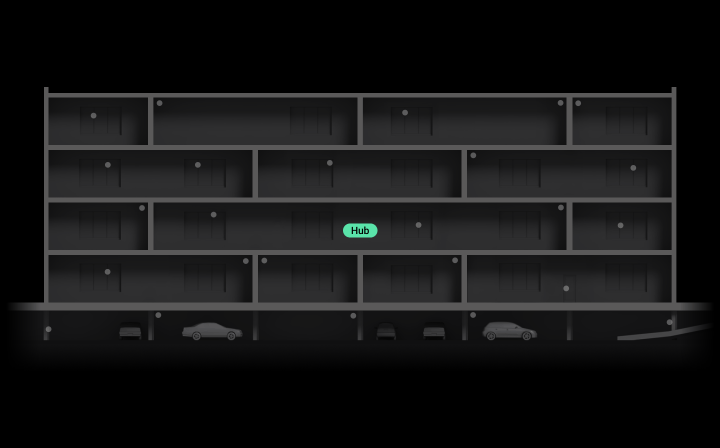
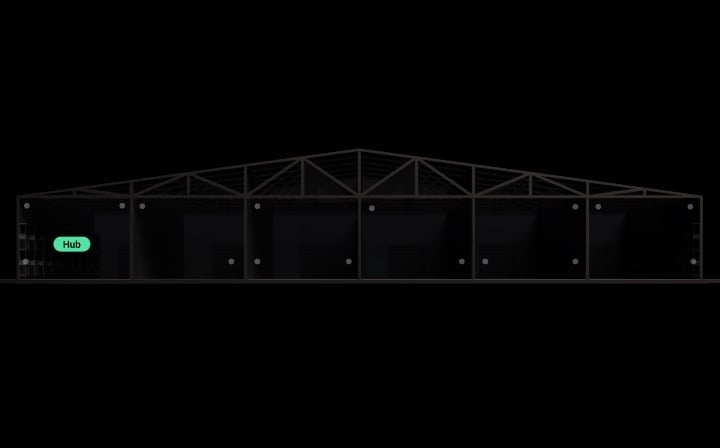
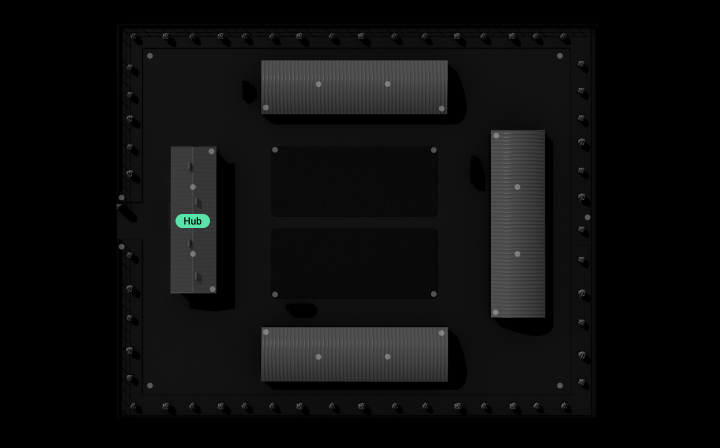
بالنسبة إلى ظروف الإشارة اللاسلكية المعقدة، يعزّز موسّع النطاق ReX Jeweller نطاق اتصال جميع أجهزة Ajax ويُدير اتصالاتها مع لوحة التحكُّم عبر Jeweller. ويضمن ReX 2 Jeweller اتصالًا مستقرًا حتى عبر الصلب والخرسانة من خلال الإيثرنت باستخدام السلك كقناة اتصال إضافية. ويمكن تشغيل 5 أجهزة توسيع نطاق بحد أقصى في نظام Ajax الواحد لمضاعفة حجم الشبكة، وتغطية المباني متعددة الطوابق التي تضم أقبية ومواقف سيارات تحت الأرض.
يمكن إضافة حتى 5 أجهزة توسيع نطاق في النظام الواحد5
الإيثرنت كقناة اتصال بديلة
مراقبة النظام
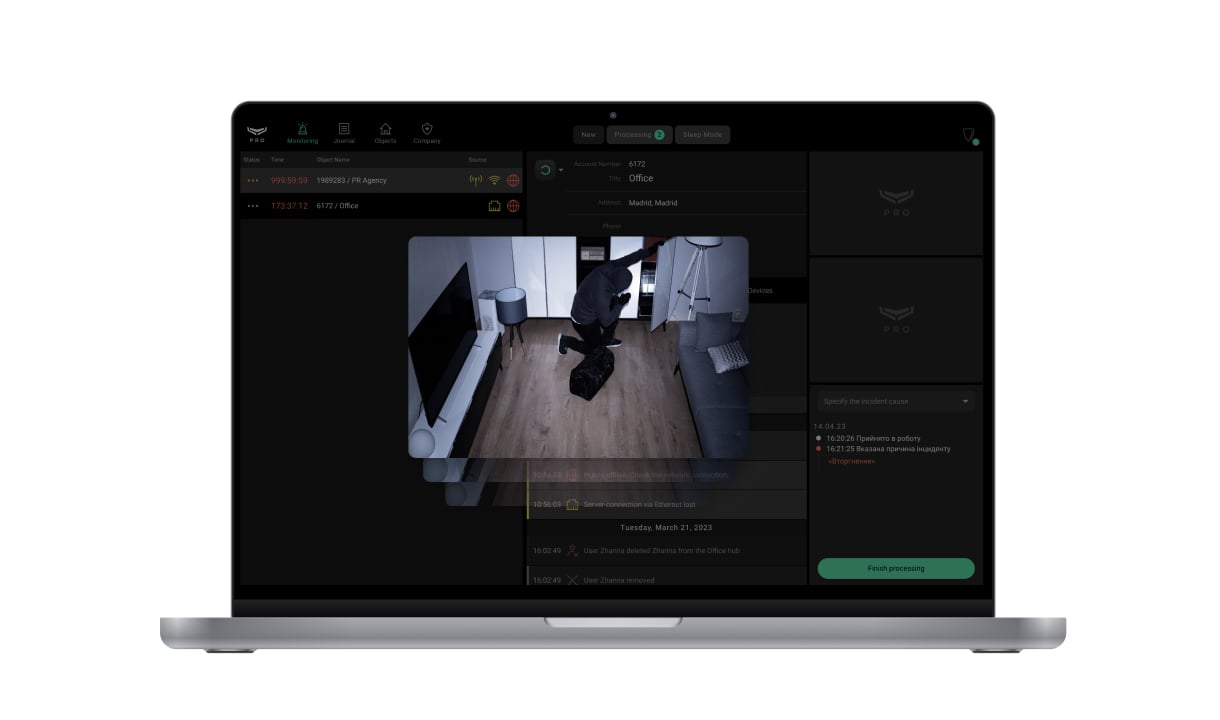
تُجري جميع أجهزة Ajax تحليلاً ذاتيًا تلقائيًا وتُبلِغ لوحة التحكُّم بحالاتها. وتخضع المعلمات الأساسية، مثل حالة الاتصال ومستوى بطارية الزر لمراقبة منتظمة. يبلغ Button Jeweller بحالته مرة واحدة يوميًا. يتحكّم خادم Ajax Cloud في الاتصال بين لوحة التحكُّم وتطبيقات Ajax، ما يضمن إرسال إشعارات فورية إلى مراكز استقبال الإنذارات، وشركات الأمن، والمستخدمين. وفي حالة حدوث أي عطل أو انقطاع الاتصال، يُبلَّغ المهندس على الفور لتقديم الخدمات اللازمة.
تشخيص ذاتي تلقائي للجهاز مع تقارير الحالة
تحقُّق تلقائي من شحن البطارية مرة واحدة يوميًا

حماية مركّبة ضد التخريب

تشفير البيانات
إشعارات بمعلومات كاملة

اكتشاف انقطاع الاتصال
سهولة التركيب والإعداد
يسهُل إقران Button Jeweller مع لوحة التحكُّم: ما عليك سوى قراءة رمز QR باستخدام تطبيق Ajax. ويمكن استخدام الزر في أي بيئة تقريبًا بفضل غلافه المحمي بفئة IP55، فيمكن حمله أو تثبيته بإحكام على سطح. يمكنك تعليق الجهاز في سلسلة مفاتيح، أو ارتدائه حول عنقك، أو ضعه في 3Holder في أي مكان في المنزل، أو المكتب، أو المتجر.
الإقران مع لوحة التحكُّم عبر رمز QR

حمل الجهاز أو تركيبه على السطح بسهولة وأمان

التهيئة والاختبار في تطبيقات الهاتف المحمول وسطح المكتب

المراقبة في تطبيقات Ajax لنظامي التشغيل macOS وWindows
يعمل في أحد الأوضاع الثلاثة المضبوطة في تطبيقات Ajax.
في مكان مفتوح.
لتعليق Button Jeweller على سطح، استخدم Holder (يُباع على حدة).
لا تُتاح الميزة إلا عندما يعمل Button Jeweller في وضع الذعر أو كتم صوت إنذار الحريق.
لا يبدّل الجهاز بين أجهزة توسيع النطاق أو لوحات التحكُّم عند حمله.
المعلومات التقنية
المزيد من طُرز Ajax Button
فئات منتجات Ajax
يمكنك الجمع بين أجهزة من جميع فئات المنتج في نظام Ajax: الحماية من التسلُّل، أو المراقبة بالفيديو، أو الحماية من الحرائق وسلامة الأرواح، أو الراحة والتشغيل الآلي. يمكنك إنشاء النظام وفقًا لاحتياجاتك وبإدارته من واجهة واحدة.



The Ajax alarm button — a multipurpose device for time optimization and 24/7 security control
Protection day and night will be provided by installing a security system, and an important addition can be the Button Jeweller. The alarm button is part of the security system and it is the fastest way to call for help. The security button is used in apartments, private houses, offices, restaurants, banks, shops, and other objects.
The main advantage of the Ajax wireless alarm button is the wide range of applications. The user gets an alarm button and an intelligent device for living space automation and daily activities control.
How the Button Jeweller works in a wireless alarm button mode
Button Jeweller works as follows: in case of an alarm, the appropriate service and connected users receive the signal.
The device supports four types of alarms and the smart home control function in the alarm smart button mode. Below, we will describe each option of using the multipurpose smart button in more detail.
- Dangerous situation. Immediate call of the security company patrol and notification of all system users about the danger. The button will help scare off burglars by activating a silent alarm (alarm mode, which will be heard and visible only on the security panel, but at the point of operation, will not give any alarm). If the children are alone at home, parents will be immediately aware of events in case of a threat.
- Fire alarm. At the first sign of a fire, noticing sparkling wiring, smoke or a slight smell of burning — press the button to call the fire brigade.
- Gas leak. One-touch emergency gas service notification.
- Call an assistance. Install the Button Jeweller next to a person who may need attention, for example, in the room of a close relative. One push of an emergency button and help is on the way.
How the Button Jeweller works in wireless control button mode
Another essential function of the button is to control the room's elements. The same alarm button allows you to easily manage your home, turning routine actions into quick solutions. Automation scenarios are launched with one or two clicks. The wireless control button will allow the user to turn off the light with one click, turn on appliances, lower and raise the shutters, and open the gates. Here are some examples of using scripts for the wireless control Button Jeweller:
- Closing and opening a store with one click.
- Control of garage doors from the car. The dashboard's button is easy to fix, and the code grabber can not reproduce its signal.
- With a short press, switch the house to smart-fortress mode: close the shutters, and lock the electric locks on the doors and gates. And long press to turn on the night lights.
Script management can be made even more convenient with the Holder bracket, which allows you to pin the alarm button, which will be easily accessible in an emergency. At the same time, the wireless device will remain mobile — the button can be quickly removed from the holder and used as a keychain.
The Button Jeweller is a device that simplifies life by replacing routine actions with automated ones.
Why the Ajax wireless alarm button is better than the others
Guaranteed alarm delivery
Button transmits a signal to the Hub security system via the Jeweller — two-way radio protocol at a distance of up to 1300 m. And informs the user of the command's successful delivery with a green LED on the case. Jeweller protects the transmitted data with encryption and eliminates the forgery of the device. In the event of interference or jamming, the Ajax system switches to free radio frequency, alerting users and works with the first press. It does not require awakening.
Convenience in installation and use
Thanks to the case, which is protected from dust and splashes, the button can be established in any convenient place, even close to a floor. The button's design allows the implementation of the device in any interior. The colour options of the device are black and white.
Accidental activation of the alarm is excluded
Thanks to the well-thought-out design, only a deliberate button push is possible. Button Jeweller will not work, even if you sit on it or lie down. For additional protection against false alarms, the button can be set to double or long-press. You can set this protection in the Ajax application in the button settings (Devices → Button → Settings). The device is wear-resistant and works from one CR2032 battery for up to five years (the battery is pre-installed).
Connect in a minute
The button connects to the Hub security control panel when scanning the QR code via the Ajax application. The device is fixed on a surface through the fastening of the holder without disassembling the case. After a few minutes, the button is ready to go.
Step-by-step instructions for using the wireless security button
- Open the Ajax application.
- Click the Devices tab.
- Select the Button device.
- Go to Gadget Settings.
- Assign users.
- If you use several buttons in one space — mark each button with a unique identifier for ease of use (Use different device colours or mark with a marker).
Each emergency button press will be displayed in the Ajax application as an event the user assigned to the device performs. The user receives a notification from the person whom the signal came from.
FAQ
What is a wireless alarm button, and what is it used for?
The alarm button is an element of the security alarm system intended for calling for help in emergencies. In addition to burglar alarm control, the Button Jeweller acts as a wireless smart home control button.
Where can the emergency button be placed?
The alarm button is suitable for private properties or enterprises, large organisations, business centres, shops, boutiques, educational centres and many other places. With the Holder mount, the device can be fixed on surfaces or carried on lace or keychain.
Who needs a wireless alarm button?
Installing the emergency button at any property where illegal actions or unforeseen situations can occur is necessary.
What is the principle of operation of the wireless alarm button?
Right after pressing the button, the alarm is transmitted to the Ajax Hub — an intelligent control panel, a vital element of the Ajax security system. It notifies you of the delivery of the alert. The required service and all system users receive the command. Help is immediately sent to the place of call. This is now the fastest way to call for help.
What is the range of the wireless alarm button?
The wireless security button operates at a distance of up to 1300 m to the Hub. In signal interference — the Ajax system switches to free radio frequency, notifying the user and the security company about the situation.