 United States
With the new firmware update, Superior KeyPad TouchScreen Fibra becomes even more informative and user-centric. Now, users can view the system's latest alarms and events directly on the keypad screen.
This capability became one of the most frequently requested features from the partners, PROs, and users across regions. And we're excited to deliver it — the Ajax way.
This feature is already available for a wireless version of the keypad, KeyPad TouchScreen Jeweller.
Know what happened right from the keypad
Superior KeyPad TouchScreen Fibra stores and displays up to 100 of the most recent system events. Whether it's an intrusion, a fire alarm, a fault, or a door left open, users can see what happened — the answer is just a tap away. And unlike traditional keypads that only flash a vague "Zone 1" indicator, Ajax instantly delivers full event context with device names, locations, and timestamps. Now, when an alarm goes off, the keypad shows exactly which detector was triggered, helping users to quickly locate potential danger. No guessing, just full transparency.
Easy to access and manage
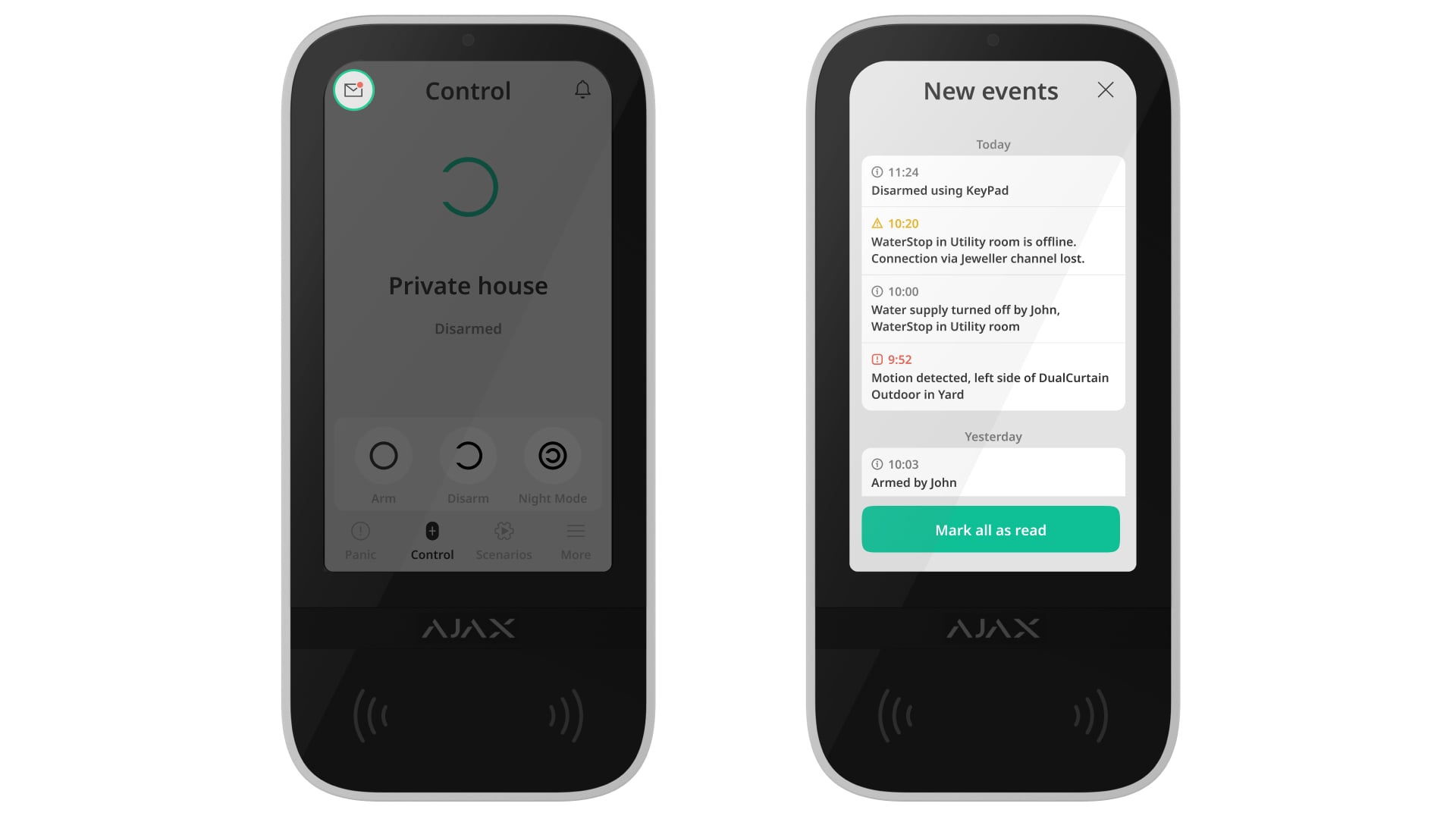
The feed with latest alarms and events is always up to date and easily accessible. By default, the feature is deactivated. To activate it:
- Open the Ajax app and find Superior KeyPad TouchScreen Fibra on the list of devices.
- Go to the Superior KeyPad TouchScreen Fibra settings by tapping the gear icon.
- Go to Keypad notification center.
- Activate the toggle for Event acknowledgment section.
To open the feed on the keypad:
- Go to the Control tab.
- Tap the envelope icon on the upper left.
- Browse the event feed.
- Mark events as read for a better overview if needed.
Firmware requirements
Keypad firmware
The feature is available with the 5.61.21.7 or 6.61.21.7 firmware versions.
OS Malevich version
The feature event feed is available if the keypad is added to a compatible hub with OS Malevich 2.35 or later.
Ajax app versions
3.25 for Android and iOS | |
2.25 for Android and iOS | |
4.25 for macOS and Windows | |
4.25 for macOS and Windows |
How to update the keypad firmware
To try new features, a PRO with access to system settings can launch the update in Ajax PRO: Tool For Engineers and Ajax PRO Desktop apps. The firmware rollout is gradual. The update will become available within approximately four weeks of this article's publication date. Downloading the firmware file and updating the device takes approximately one hour. Please note that during this time, users cannot change the system's security mode via the keypad.
Superior KeyPad TouchScreen Fibra is supplied by the hub, so no external power supply is required for an update.


