 United States
Ajax × Yale
The official integration that brings Yale smart locks into the Ajax ecosystem
Smart technologies that work in sync
Seamless integration
Yale smart locks become a native part of the Ajax ecosystem, working in perfect synergy with all its devices.
Multiple control options
Yale smart locks can be managed manually on-site, remotely via Ajax apps, or automatically using scenarios.
Automated security and routines
The lock becomes part of the system logic, responding to events via scenarios and strengthening security beyond simple access control.
Flexible access management
Access permissions stay fully under control, with flexible roles, temporary access, and complete visibility — all managed in Ajax apps.
Ajax × Yale is an authorized, two-way integration developed in collaboration with Yale for a wide range of smart lock models.
Key features
Smart lock control via an Ajax app

Support for various scenario types
Support for Chimes feature

Fast and easy setup
via the Yale account or through a step-by-step wizard in an Ajax app1
Real-time smart lock states in Ajax apps


Adjustable lock sound volume

Automatic firmware updates2
Battery remaining charge visibility

Informative push notifications

Ajax
Home: Lock in Entrance locked by Debby
Ajax
Home: Lock in Entrance unlocked by Josh
Instant maintenance notifications

How Yale smart locks integrate with Ajax
Explore the available integration methods options and how they differ depending on the lock model and connectivity.
One solution for any space
The extensive compliance with international and local security standards allows Ajax to handle projects of any scale and complexity. The system supports dozens of smart locks3, enabling Yale to integrate seamlessly into existing Ajax setups, while Ajax can just as easily expand a Yale setup.

Private residence

Apartment

Technical room

Short-term rental

Office

Retail store

HoReCa
Flexible smart lock control options
Control Yale smart locks anytime through an Ajax app: from the device menu, room view window, or while checking the video doorbell for visitors. The system accurately logs every action, so a user can always see who opened or closed the door and when.
The smart lock can be operated like a traditional lock, and these manual actions can also trigger scenarios. For example, the system is armed on lock and disarmed on unlock.
Set access permissions for users, PROs, and companies
Manage Yale smart locks from a smartphone or manually
Get notifications about who locked or unlocked the door
The smart lock can follow schedules, respond to system alarms and events, or activate automation devices. For example, the door unlocks automatically when a user disarms the system with a keypad. Alternatively, the system can follow the smart lock state: locked — armed, unlocked — disarmed. For added security, scenarios can be set to run only on confirmed alarms.
Extensive scenario configuration options available
Scenario activation on regular alarms and confirmed ones
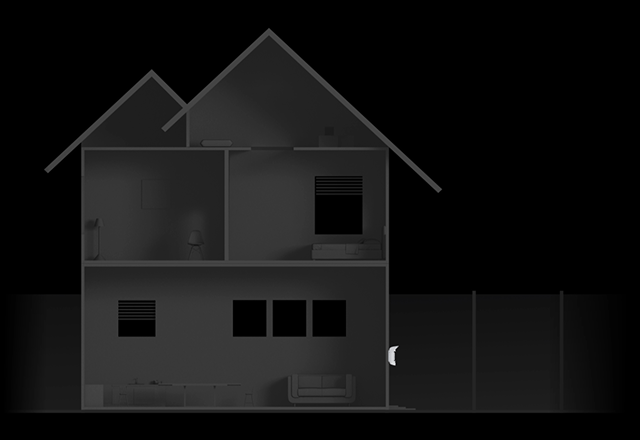
Smart security for home and business
Response to security mode changes
Link the smart lock to security modes. For example, when the system is disarmed with the outdoor keypad, the smart lock automatically unlocks.

Response to smart lock state changes
The system can follow the smart lock state. For example, the system disarms when the lock is opened and arms when it is closed.

Response to alarms
Make smart locks part of emergency response. For example, all doors can be locked when the panic button is pressed. For added security, scenarios can be set to run only on confirmed alarms.

Lock–initiated actions
Use a smart lock to trigger automation scenarios. For example, when the lock is closed, the lights turn off, and the water supply is shut off.

Scheduled actions
Configure the smart lock to follow daily routines. For example, so that it unlocks at 10:00 a.m. and locks again at 10:00 p.m.

Access tailored to every role
Each user, PRO, or monitoring company can have individual access rights to the smart lock. For example, the monitoring company or response unit can access the smart lock only after an alarm has been triggered. Permissions, codes, and key tag parameters are configured in Ajax apps and can be changed or reassigned by the admin at any time.

Detailed log of exactly who locked or unlocked the door
Remote access granting or revoking in Ajax apps
Remote configuration of codes and key tag parameters
After-alarm access for monitoring companies and response units
A whole new level of control
With Ajax, every action is transparent and traceable. The system logs who locked or unlocked the door, when it happened, and which lock was used. Users are instantly notified of low battery levels, communication loss, and tampering attempts. The lock state and its battery health are always visible in Ajax apps. If needed, lock settings and access permissions can be adjusted remotely in seconds.

Informative notifications show full event context
Ajax apps provide detailed smart lock state
Settings and access permissions can be changed remotely at any time
Sabotage resistance

Connection loss detection


Two ways to integrate
There are two integration methods for Yale smart locks, depending on the lock model and whether it supports Wi-Fi. While both methods provide access control within the Ajax ecosystem, some available features may differ — see the comparison below.
Explore the differences
Smart locks supporting Wi-Fi | Smart locks without Wi-Fi support | |
Integration type | Via Ajax Cloud | Via the LockBridge (D) Jeweller module |
Smart lock models | For North America:
For the rest of the world:
|
|
Region availability | Worldwide | Denmark Finland Iceland Norway Sweden |
Support for manual lock control | ||
Support for automation scenarios | ||
Support for remote configuration via Ajax apps | Supports basic settings only:
| Supports basic plus advanced settings:
|
Notifications about smart lock state change | ||
Communication with the Ajax ecosystem | Via the internet | Via Jeweller and Wings communication protocols |
Note that when the integration is set up via Ajax Cloud, control of the Yale smart lock depends on an active Wi-Fi connection at the site. If it is unavailable, the lock cannot be controlled from Ajax apps, and automation scenarios will not run — even if the hub remains online via cellular backup. Manual locking and unlocking remain available.
The process of connecting and configuring the lock depends on the integration method. Detailed instructions are available in the user manuals provided below:
Automatic software updates available for Yale smart locks integrated via LockBridge (D) Jeweller.
The number of Yale smart locks per system depends on the selected integration method.
Connection loss detection time depends on the Yale cloud infrastructure.
Useful links and materials
For Yale smart locks supporting Wi-Fi
For Yale smart locks without Wi-Fi support
More Ajax superpowers
Build a comprehensive ecosystem
From hardware to software, Ajax delivers an end-to-end solution designed to work in perfect sync. Built-in communicators, native apps, and a wide range of integration options ensure everything runs smoothly within a single system.

Control and manage with powerful apps
For PRO users
Ajax PRO Desktop
For installation and monitoring companies
Maintain Ajax systems, monitor alarms, and confirm them using the visual verification feature
For end users
Ajax Desktop
For facility managers or owners
Monitor the entire site and stay informed with instant alarms and maintenance notifications