 United States
In the Ajax app:
Go to the Devices tab
Select Button
Go to its Settings
Assign a user
Now, each button press is displayed in the application as an event, initiated by the user assigned to the device.
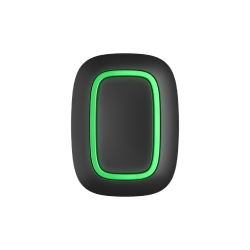
Wireless panic button / smart button
In the Ajax app:
Go to the Devices tab
Select Button
Go to its Settings
Assign a user
Now, each button press is displayed in the application as an event, initiated by the user assigned to the device.
Button works with all Ajax hubs with firmware version OS Malevich 2.7.101 or later.
Button only works with one hub. When connected to a new hub, the Button stops transmitting commands to the old hub.
Once added to a new hub, the Button is not automatically removed from the devices list of the old hub. This must be done manually through the Ajax app.


