Language:

Partner Portal

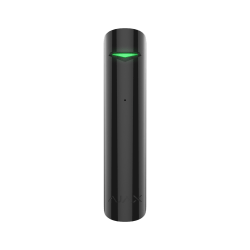
GlassProtect Jeweller

GlassProtect Jeweller

Wireless glass break detector with a microphone

FAQ

How can the loop (zone) number of the detector or Ajax device be determined

The loop (zone) number is required to describe all devices connected to the hub when adding a protected facility to the security company monitoring station.

The number is assigned when adding a device to the hub. The first added device has the first loop (zone) number. After removing the device from the system, its number becomes available. This number can be assigned to the next device to be added to the system.

The loop (zone) number is available in the states of each device in the Ajax app:

How long will it take the hub to detect a communication failure with a detector or device

By default, the hub is set to a hub–detector ping interval of 36 seconds and 30 undeliverable data packets to consider the device lost. With these settings, the hub will detect the loss of the detector in 18 minutes.

To reduce this time, go to the hub settings Settings-M in the Jeweller section and change the settings. The minimum time for detecting loss of connection with the device is 36 seconds (3 polls of 12 seconds each).

The time before raising the alarm by the communication loss between hub and device is calculated with the following formula:

Detector Ping Interval × Number of missed pings to determine connection failure

Note that with the minimum ping interval, short-term interference can lead to loss of connection with the device. Therefore, set the minimum values only if it is critically important to promptly inform about events in the system.

How can I check if the detector is functioning correctly after installation?

To check that the device is operating correctly, carry out the detection area and signal strength tests.

The detection zone test helps to determine at what distance the detector will detect motion. To determine the detection zone, monitor the LED indicator of the device: during the test, it lights constantly, and turns off when motion is detected. At the same time, a pop-up window appears in the app informing you that the device has detected motion.

The Jeweller signal strength test allows to determine signal strength and stability in the potential installation place of the device.