 United States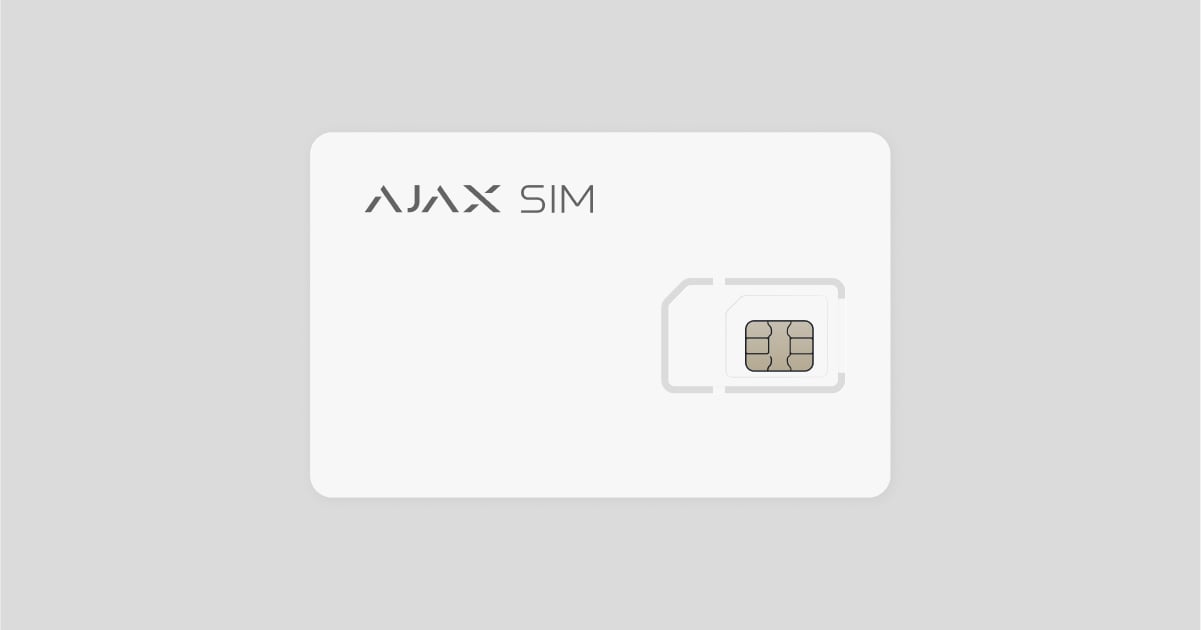
Ajax SIM is a service featuring a pre-installed roaming SIM card. It’s designed to integrate seamlessly with an Ajax system to ensure comprehensive control over residential and commercial premises.
The SIM cards come pre-installed in Ajax hubs, configured, and ready to use. With Ajax SIM, there’s no need for Ethernet or Wi-Fi to connect the hub to Ajax Cloud — the SIM is active upon installation. It is also pre-activated by the mobile operator, eliminating the need for activation via a smartphone.
The hub with Ajax SIM installed and activated supports the Resilient SIM feature, which allows the system to maintain reliable cellular communication at all times. When the data transmission fails, the feature allows the system to search and connect to a more stable cellular network. Refer to the following article for more information:
How to send a connection request via Ajax PRO Desktop?
Via request to a reseller
The dealer company must send a linkage request to the reseller by following these steps:
This feature is available for users with Company accounts and Service Managers.
Go to the Services module.
Open the Your resellers menu.
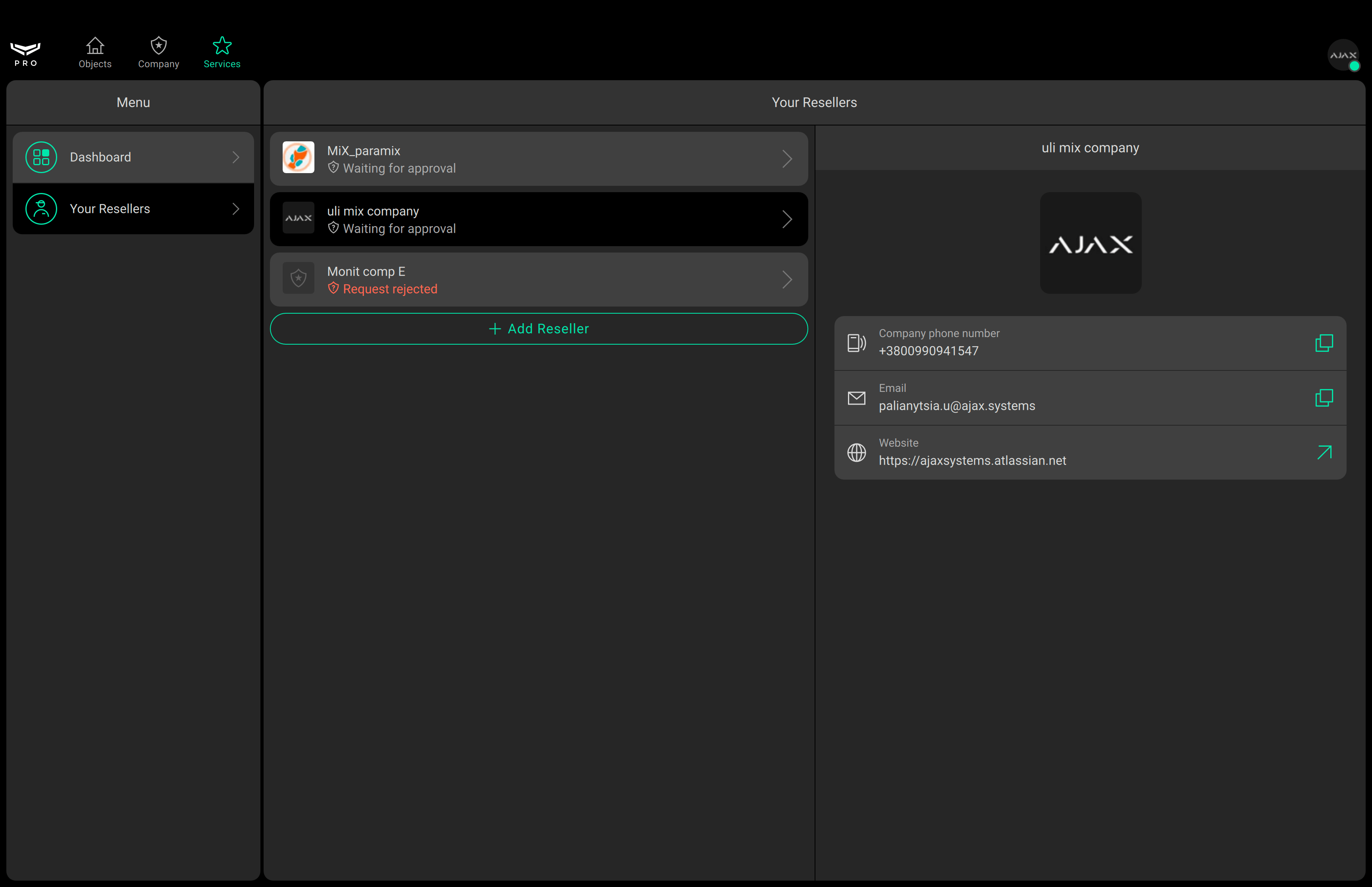
Click Add reseller.
Enter the email of the reseller company you want to send a connection request to, or select your reseller from the list.
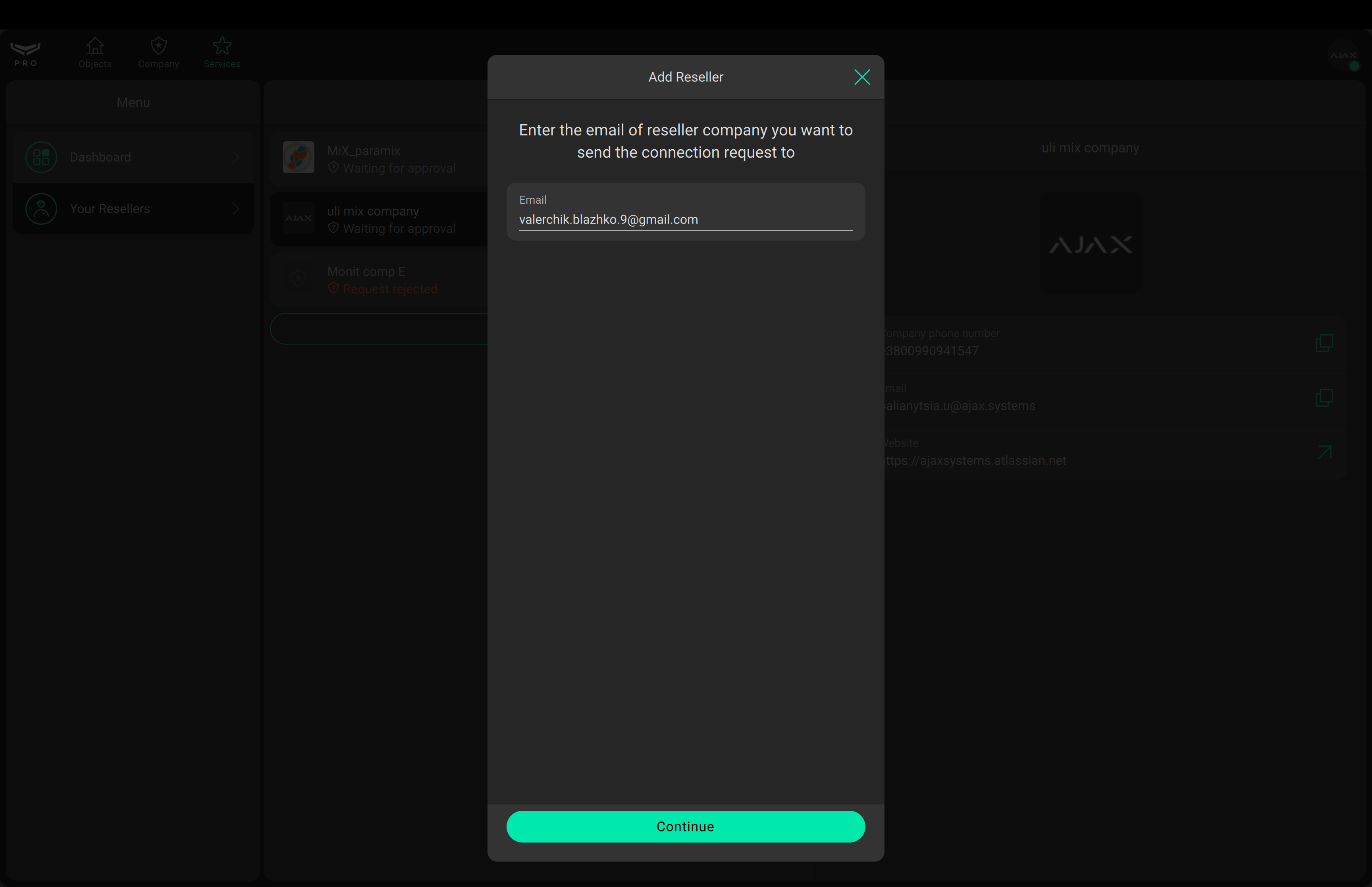
Click Continue.
Review the displayed Information about the reseller found via e-mail.
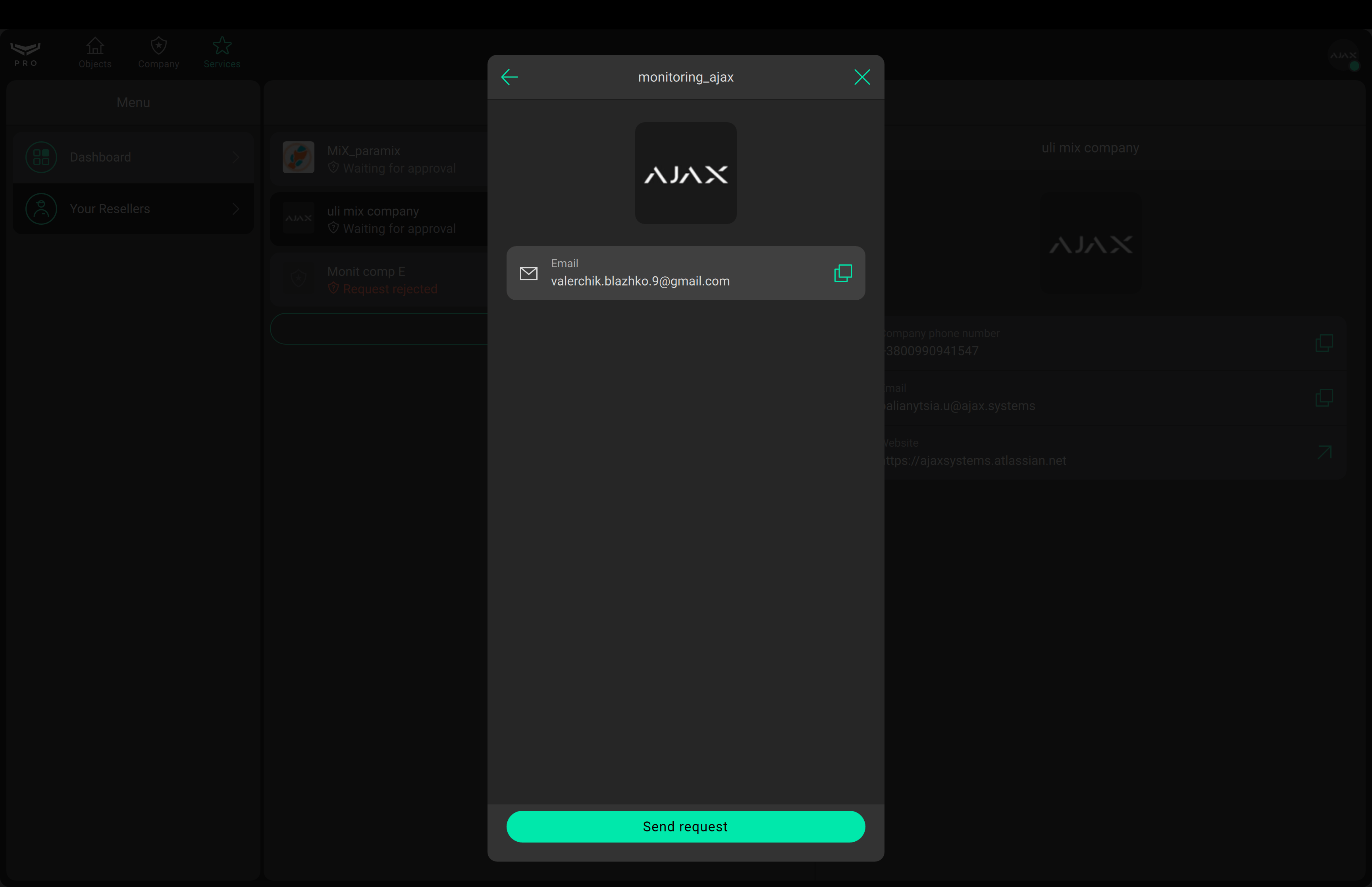
Click Send request.
Wait for the reseller to approve your request.
Once the request is approved, you can activate Ajax SIM
Via card payment
An Ajax system allows activating subscription-based Ajax Services via PRO user/admin or corporate card payment. The feature availability depends on the country. It can be used by a PRO user with full rights or an admin with full rights unless a PRO or a company is added to the space.
How to activate Ajax Services via PRO user/admin card payment
How to activate Ajax Services via corporate card payment
Who are the reseller and the dealer?
Dealers are companies or installers that provide Ajax Services, including Ajax SIM, to end users. Resellers are distributors of Ajax products or services and alarm receiving centers (ARCs) that supply Ajax Services to dealers. Not all installation companies act as dealers, and not all monitoring companies act as resellers.
How to activate Ajax SIM?
Via request to a reseller
Add the hub to the required space in the Ajax app.
Go to the Devices
tab.
Select the hub from the list. You will see the message “Activation required”.
This activation initiates the Ajax billing process with your reseller.
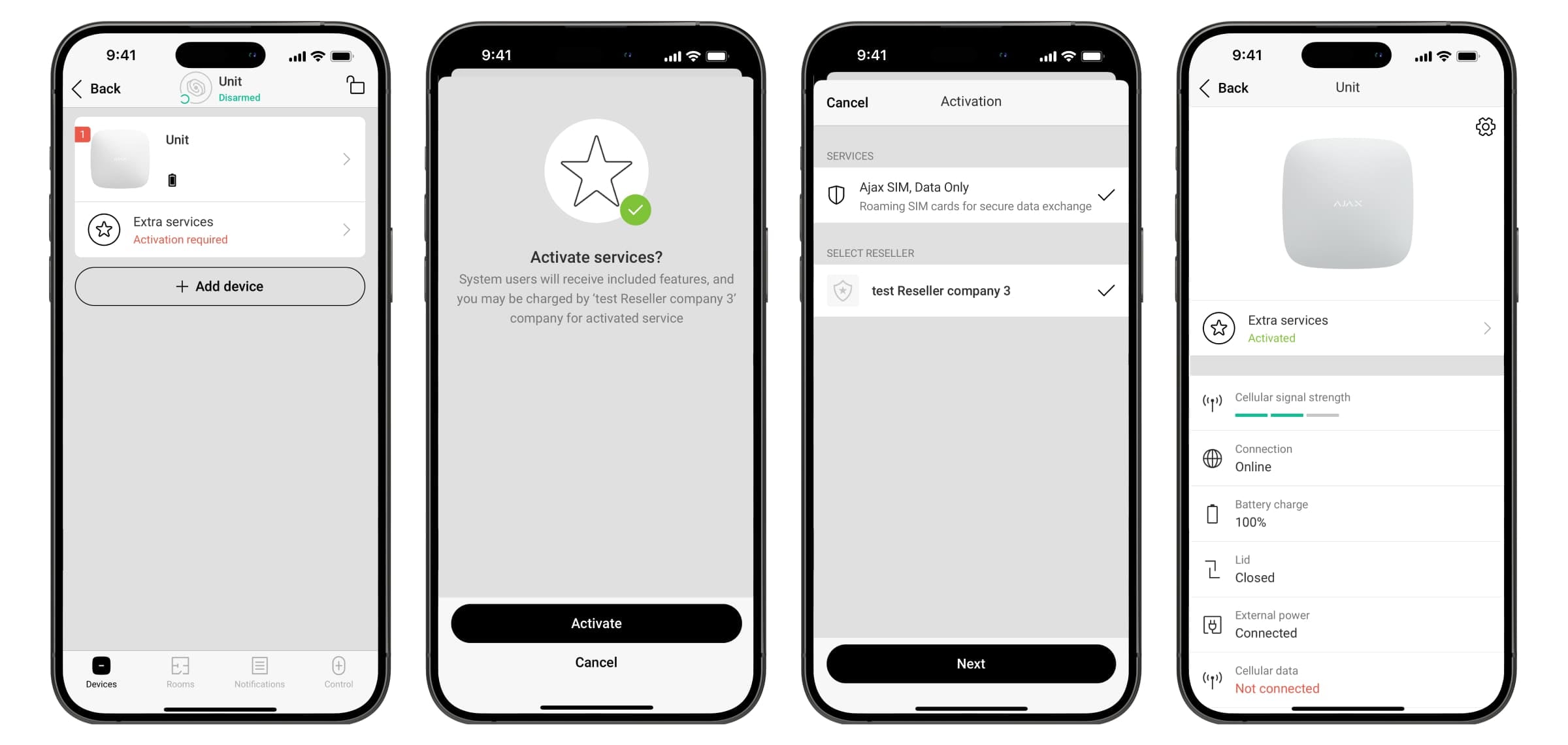
Follow the activation instructions and select your reseller and services from the list.
To activate Ajax SIM, you must first send a connection request to your reseller via Ajax PRO Desktop.
Via PRO user/admin card payment
The activation of the service via PRO user/ admin card payment is described in the the article.
Via corporate card payment
The activation of the service via corporate card payment is described in the the article.
Why do I need to activate Ajax SIM?
If you do not activate your SIM card within 3 days, we will deactivate it. This means the hub will no longer be able to send or receive signals via Ajax SIM until you activate it.
Which version of OS Malevich do I need to activate Ajax SIM?
For all hubs Ajax SIM cards require OS Malevich 2.16 or later for activation.
For Hub (2G) Jeweller, Ajax SIM cards require OS Malevich 2.15.7 or later for activation.
Can I use another SIM card with an Ajax hub?
Yes, each hub has 2 SIM slots. You can insert your own SIM card into the second slot. However, we recommend using Ajax SIM as an additional backup channel.
What if the SIM card does not work?
Firstly, check the Malevich OS version. Ensure the hub is running OS Malevich 2.16 or later.
If the SIM card does not work after turning on the hub or resetting the settings, follow these steps:
Go to the Devices
Select the hub from the list.
Check the internet connection status of the hub via Ethernet.
Internet connection status of the hub via Ethernet:
Connected — the hub is connected to Ajax Cloud via Ethernet.
Disconnected — the hub is not connected to Ajax Cloud via Ethernet.
Check the Cellular Data status.
The hub connection status via cellular network:
Connected — the hub is connected to Ajax Cloud via cellular network.
Disconnected — the hub is not connected to Ajax Cloud via cellular network.
Go to Settings by clicking on the icon
.
Go to Cellular settings.
Turn on the Roaming toggle.
In the SIM cards menu, select SIM 1 (Ajax SIM is usually installed in the first slot).
Set the APN for Ajax SIM: internet.gma.iot.
Click Back to save the new settings.
Wait a minute for the SIM card to connect automatically. If both communication channels are active, the hub LED will light up white. If one channel is active, the LED will light up green.
If the SIM card does not work, please contact our Technical Support. They will help you.
Can I use text messages or phone call notifications with Ajax SIM?
Currently, Ajax SIM does not support text messages or phone call notifications. If these are enabled in the app, they will not be sent. We are actively working on adding text messages and phone calls to Ajax SIM.
