 United States
Ajax Systems offers a complete portfolio of video cameras and network video recorders. Designed for maximum compatibility, these devices work seamlessly together. Ajax video devices integrate deeply with intrusion protection and automation, unlocking powerful features that enhance situational awareness and system response. Powered by built-in AI, cutting-edge streaming technology, ever-evolving software, and NDAA-compliant hardware, Ajax video surveillance is up to any task.
A new beta feature enabling quick connection of video surveillance devices has been added to the updated Ajax Security System mobile application. Dahua cameras and video recorders can now be added by scanning QR codes (similar to Ajax devices) and there is no need to waste time setting up network equipment.
What opportunities does video surveillance provide?
• If security detectors are activated, you will be aware of the intruders.
• Check what cleaners do in your absence.
• Watch children even when you are on the other side of the globe.
• Monitor your employees when you are out of the office.
Easy connection
Having set up a Dahua camera or a video recorder as recommended by the manufacturer, scan the QR code with the Ajax application, enter the login and password for the device, and the video will be immediately available for viewing.
No need to change the settings of the router, generate an RTSP link, and request a static IP address from an Internet provider as it is necessary when you need to connect IP-cameras from other manufacturers to the Ajax.
Detailed instructions: How to connect a Dahua video recorder or a camera to Ajax
More video streams
The number of connected cameras depends on the hub model. Check your hub's capacity here. A video recorder represents a single device, but multiple video cameras can be connected to it. Each camera video will be available in the Ajax application.
Third-party cameras can also be integrated into Ajax systems via Ajax NVRs.
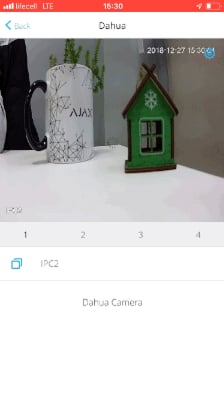
How has the integration with Dahua been implemented
The process of transferring video from the camera to the application is protected by encryption along the entire path, and it looks like this:

The Ajax application allows you to view videos from cameras, pause playback, and save camera stream photos.
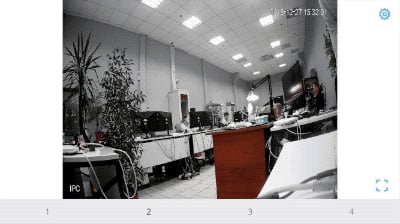
The connection of a video recorder or a Dahua video camera to Ajax does not preclude the use of Dahua applications. In order to store and view the video archive, you can use the Dahua cloud service or any other service that is compatible with your equipment.
Read more:
How to connect a Dahua video recorder or camera to Ajax
How to connect any IP-camera to Ajax security system
How to connect EZVIZ, Hikvision, Safire camera or video recorder to Ajax security system


