Language:

Partner Portal

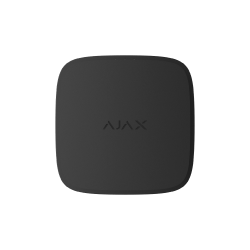
FireProtect 2 (Heat) Jeweller

FireProtect 2 (Heat) Jeweller

Wireless fire detector with heat sensors

FAQ

How can the loop (zone) number of the detector or Ajax device be determined

The loop (zone) number is required to describe all devices connected to the hub when adding a protected facility to the security company monitoring station.

The number is assigned when adding a device to the hub. The first added device has the first loop (zone) number. After removing the device from the system, its number becomes available. This number can be assigned to the next device to be added to the system.

The loop (zone) number is available in the states of each device in the Ajax app:

What is a tamper

Tamper is a miniature button on the device board. It reports an alarm in case of opening the device enclosure, removing the device from the mounting panel, or detaching it from the surface.

The tamper status is displayed in Ajax apps, in the Enclosure section in the states of each device. When the body status is Open, a fault symbol appears on the device icon.

How to find out the device ID

The identifier (ID) is the serial number of the device. It can be found under the QR code on the device’s enclosure, board, and packaging.

ID at the bottom of the box

ID at the bottom of the box

ID under the lid

ID under the lid

The ID can also be found in the device states in Ajax apps:

  1. Open an Ajax app and log in to your account.
  2. Select the required space.
  3. Go to the Devices HubFilled-M tab.
  4. Select the required device from the list. Device ID information is located at the bottom of the states menu.
Device ID information is located at the bottom of the states menu.