 United States
Two versions of Socket are available: with UK plug [Socket (type G)] and EU plug [Socket (type F)].
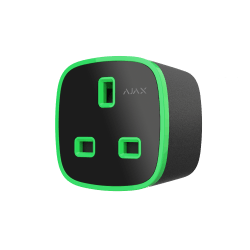
Socket (type G) Jeweller
Smart plug with power consumption monitoring
FAQ
What types of sockets can Socket be connected to
How to configure Socket (type G) to operate in pulse mode
You can do it in Socket (type G) settings:
Ajax app
Devices
Select the device
Settings
In the Mode field, select Pulse
In the Pulse duration field, specify the wanted pulse duration.
How to change the state of Socket (type G) contacts
You can do it in Socket (type G) settings:
Ajax app
Devices
Select the device
Settings
In the Contact state field, select the required option: Normally Closed or Normally Open


