Language:

Partner Portal

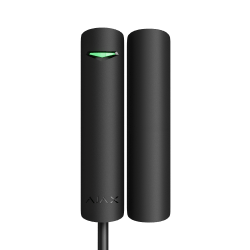
Superior DoorProtect Plus Fibra

Superior DoorProtect Plus Fibra

Wired reed-switch opening detector with shock and tilt sensors

FAQ

How to find out the device ID

The identifier (ID) is the serial number of the device. It can be found under the QR code on the device’s enclosure, board, and packaging.

ID at the bottom of the box

ID at the bottom of the box

ID under the lid

ID under the lid

The ID can also be found in the device states in Ajax apps:

  1. Open an Ajax app and log in to your account.
  2. Select the required space.
  3. Go to the Devices HubFilled-M tab.
  4. Select the required device from the list. Device ID information is located at the bottom of the states menu.
Device ID information is located at the bottom of the states menu.

What type of cable is used to connect Fibra devices

Fibra devices are connected using a 4-wire cable.

We recommend using the following types of conductors:

  • U/UTP cat.5 4×2×0.51 mm (24 AWG) cable, copper conductor.

  • 4×0.22 mm² signal cable, copper conductor.

What is the maximum cable length for connecting Fibra devices

The maximum length of a Fibra line is 2,000 meters.

However, the appropriate length for the wired line depends on the number and type of connected devices and the type of used cable.

Therefore, before installing wired devices, we recommend calculating the line length using an online calculator.

After installation, perform a Fibra signal strength test and a Lines power test to make sure the system functions properly.