United States
Coincidence detection is an EN54 Line system feature that allows alarm confirmation only if two or more independent detectors are triggered within a defined time window. If the feature is enabled, the system does not activate a full alarm immediately after a single detector is triggered. Before initiating evacuation signals or sending events to the monitoring station, the system waits for confirmation from another detector or actuator assigned to the same zone.
System requirements
Only systems with EN54 Fire Hub Jeweller running OS Malevich 2.39 or later support the Coincidence detection feature.
The feature is available in Ajax apps with the following versions or later:
- Ajax Security System 3.46 (iOS/Android)
- Ajax PRO: Tool for Engineers 2.46 (iOS/Android)
- Ajax Desktop 5.46 (Windows/macOS)
- Ajax PRO Desktop 5.46 (Windows/macOS)
Operating principle
Coincidence detection uses two-step alarm confirmation logic. The following detectors and actuators can trigger the First alarm and Full alarm states:
- EN54 FireProtect Jeweller detector
- manual call points operating in the Fire alarm mode
- EN54 I/O Module (2X2) Jeweller input device with the Fire alarm event type
When the first detector or actuator is triggered, the system enters the First alarm state instead of activating a full alarm. In this state, the system waits for confirmation from another detector or actuator within the same zone. At the same time, fire alarm sounders, VADs, and EN54 I/O Module (2X2) Jeweller output devices remain inactive, and the system does not send an event to the monitoring station. Only the CIE provides LED and audible indication.
If another detector or actuator in the same zone confirms the alarm within 5 minutes, the system enters the Full alarm state and activates all configured alarm responses.
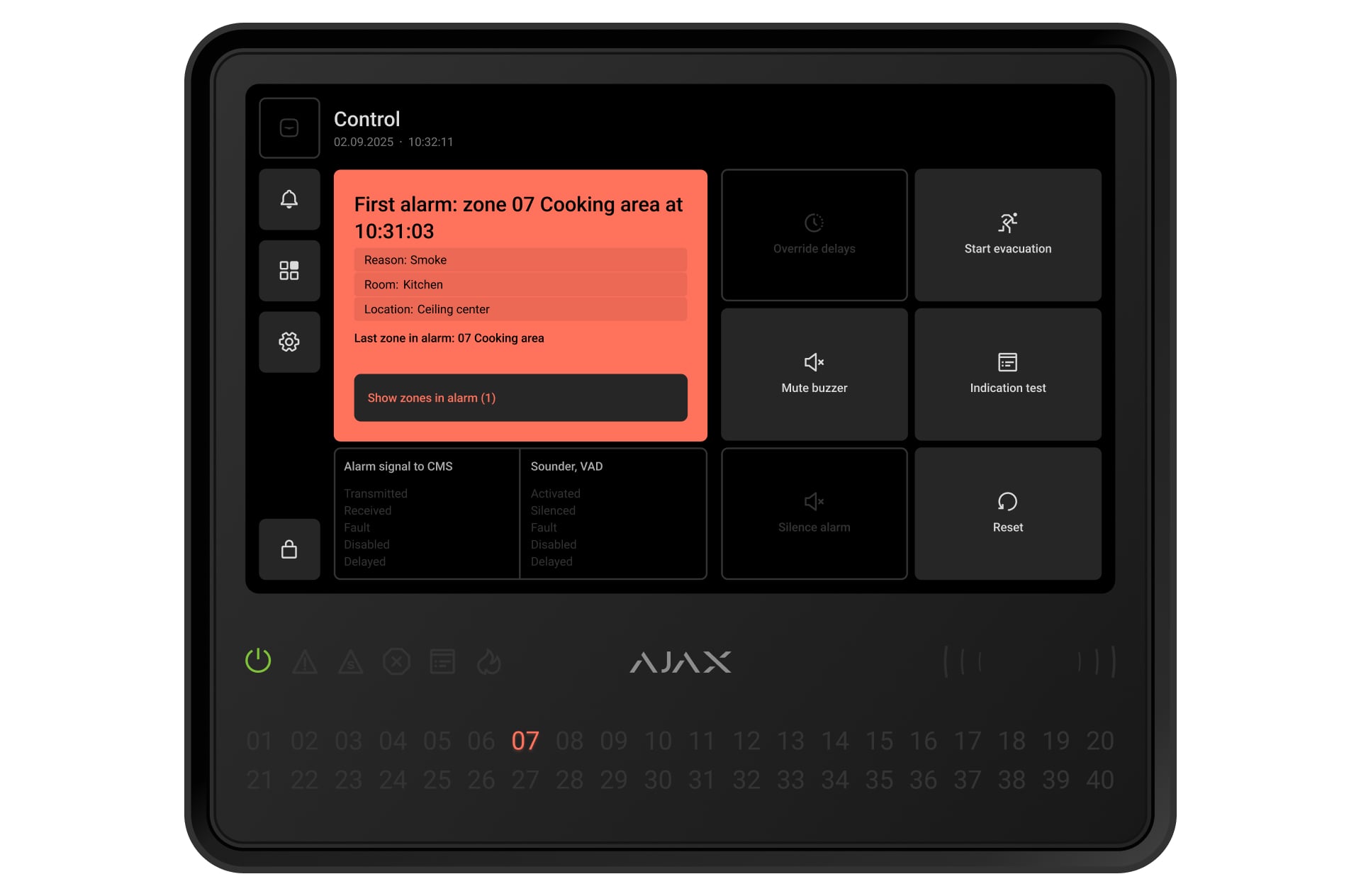
If a detector is triggered in another zone for which coincidence detection is configured, the system updates the First alarm state information and the confirmation timer, but does not activate the Full alarm state for the initial zone.
The Full alarm state is also activated if:
- the Start evacuation button is pressed
- a fire alarm is triggered in a zone for which coincidence detection is not configured
- a manual call point operating in the Evacuation mode is activated
- EN54 I/O Module (2X2) Jeweller input device with the Evacuation event type is triggered
If no confirmation is received within 5 minutes, the Full alarm state is not activated. A user with access level 2 can also reset the First alarm state by tapping the Reset button on the CIE touchscreen.
How to configure coincidence detection
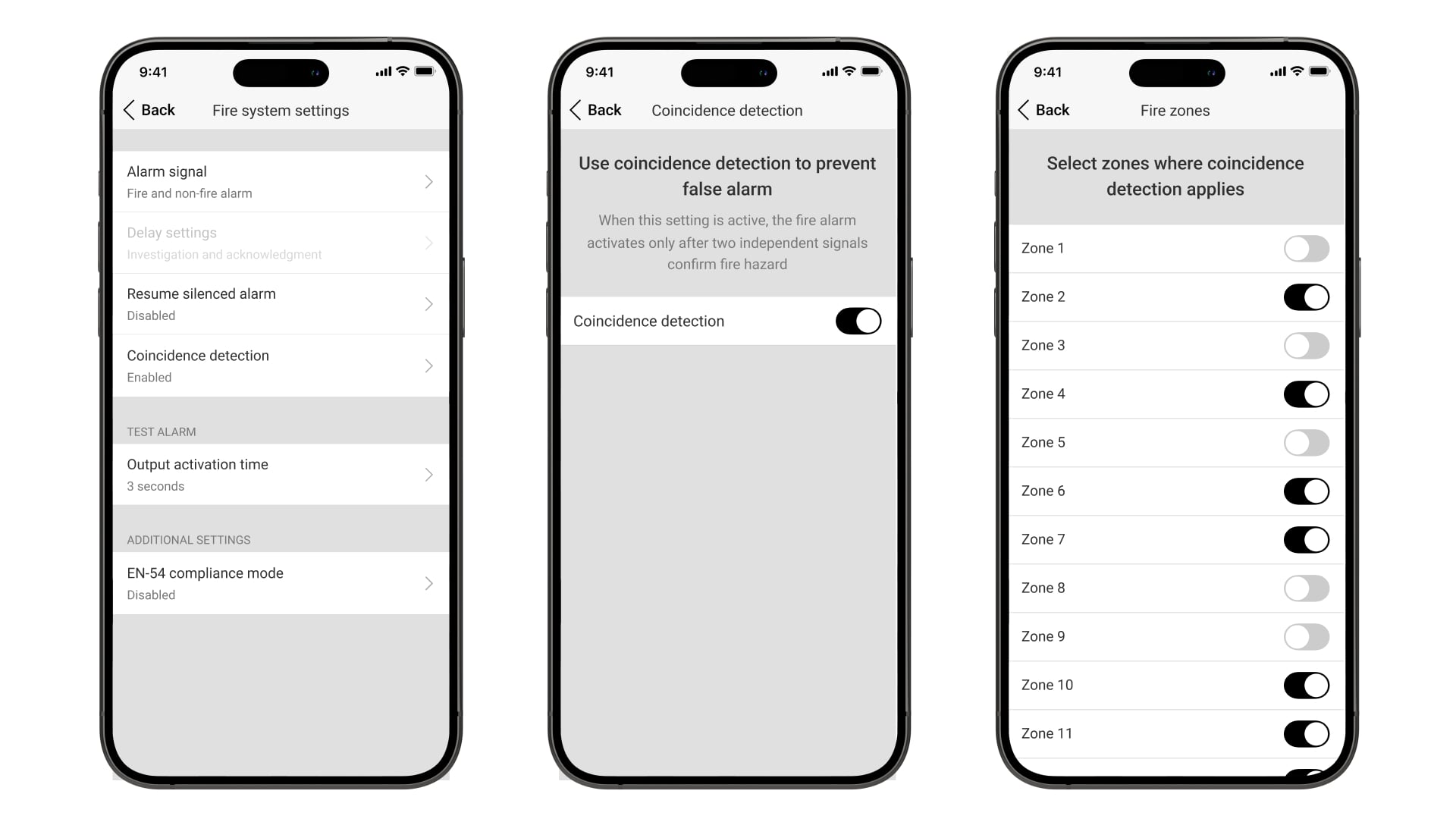
A user with access level 3, such as a PRO user with full rights or an admin with full rights, can enable and configure coincidence detection in an Ajax app:
Go to the Devices
tab.
Select the CIE.
Go to its Settings by tapping the gear icon
.
Tap Fire system settings.
Go to the Coincidence detection menu.
To access the menu, Fire alarm delays must be disabled.
Tap Coincidence detection.
Enable the Coincidence detection option and go back.
Tap Fire zones and select zones to which coincidence detection applies.
Go back to the CIE settings.