 United States
KeyPad Plus can work with Tag key fobs, Pass cards, and third-party devices that use DESFire® protocol.
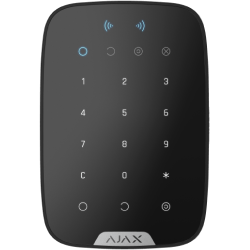
KeyPad Plus Jeweller
Wireless keypad with touch buttons supporting authentication via Pass, Tag, and codes
FAQ
What devices can manage security modes using KeyPad Plus
How to increase the communication range between the hub and KeyPad Plus
To increase the radio communication range of your KeyPad Plus, use the radio signal range extenders.
How to arm and disarm a specific group using a personal access code
To change the security mode of a group using a personal access code:
Activate the keypad by touching any touch-sensitive button.
Enter the user ID.
Press * (Function button).
Enter your personal code.
Press * (Function button).
Enter the group ID.
Press the Arm / Disarm
/ Night Mode button
.


