 United States
Hood for MotionProtect Outdoor is a cover protecting masking sensors of the detector MotionProtect Outdoor from rain and snow. Install it when the detector cannot be placed under the covering.
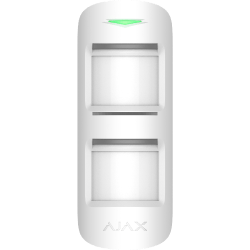
MotionProtect Outdoor Jeweller
Wireless outdoor motion detector with an advanced anti-masking system and pet-immunity
FAQ
What does the Hood for MotionProtect Outdoor protect from and when should I use it?
How to install Hood for MotionProtect Outdoor on outdoor motion detector?
Hood for MotionProtect Outdoor can be mounted even on a detector that is already installed. You don’t need to detach the device from the surface for installing the hood.
To install Hood for MotionProtect Outdoor:
Remove the protective film from the Dual Lock tape, which is glued to the inner surface of the hood.

Attach the hood to the detector — part of the tape will stick to the body of the detector.

Detach the hood from the MotionProtect Outdoor and smooth out the part of the tape that remained on the detector body.

Put the hood back so that both parts of the tape stuck, fixing the hood on the detector.

How can the loop (zone) number of the detector or Ajax device be determined
The loop (zone) number is required to describe all devices connected to the hub when adding a protected facility to the security company monitoring station.
The number is assigned when adding a device to the hub. The first added device has the first loop (zone) number. After removing the device from the system, its number becomes available. This number can be assigned to the next device to be added to the system.
The loop (zone) number is available in the states of each device in the Ajax app:


