 United States
During the battery replacement and Hub usage, follow the general electrical safety rules for using electrical appliances as well as the requirements of electrical safety laws and regulations.
It is strictly forbidden to disassemble the device connected to the power supply!
In order to replace the battery:
1. Unscrew the fastening screws from the SmartBracket attachment panel.

2. Remove the hub from the attachment panel.

3. Disconnect the power and Ethernet cables and remove the SIM card by pressing it, then turn off the hub by pressing the power button for 3 seconds.
After turning off the hub be sure to wait for 5 minutes to completely discharge the capacitors.
4. Turn over the hub and place it on a folded up towel with the Ajax logo down so as not to scratch the enclosure when dismantling. Remove 4 screws with a cross screwdriver (PH1).

5. Remove the hub lid holding its power and Ethernet connectors with your fingers. Put aside the lid with the Ajax logo.
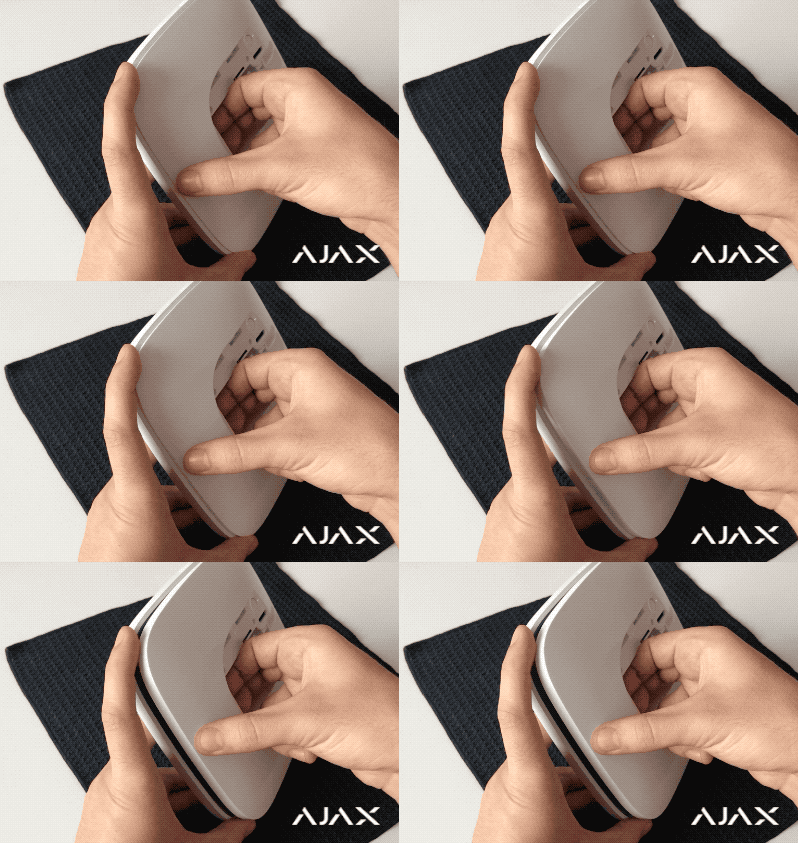
6. Unscrew the screws that fix the hub boards (11 pcs in older models, 10 pcs in new ones).

7. Remove the boards from the hub enclosure lifting them evenly from both sides. The boards are interconnected and should be removed together.
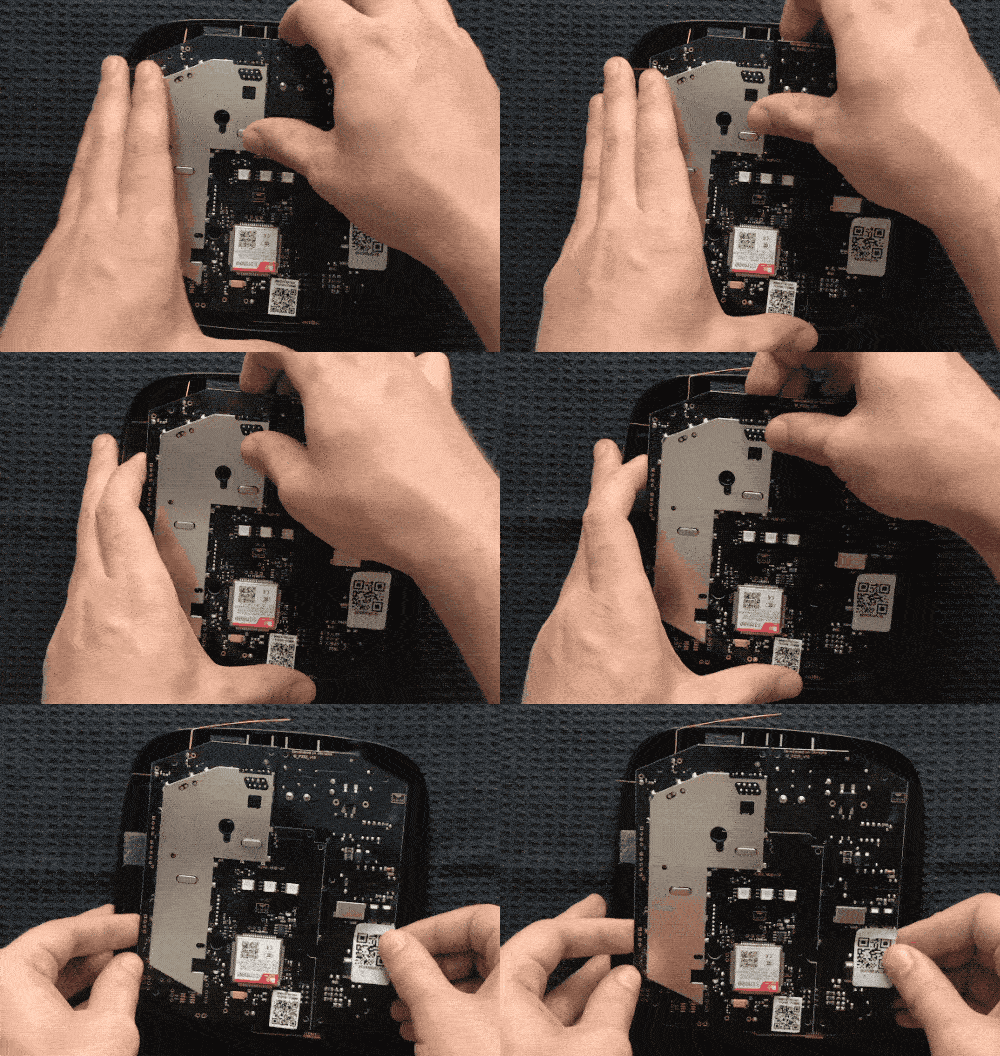
If you removed the plastic power button during the dismantling of the hub, install it together with a gasket into the hub enclosure. The gasket is placed in the center of the plastic button. When properly installed, the button completely fits into its seat, and its edges fit the grooves.

8. Disengage the boards and put aside the smaller one.
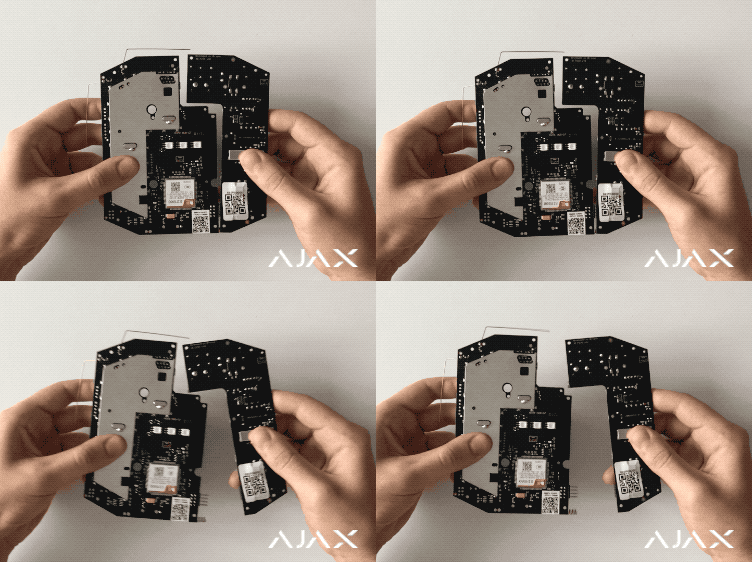
Do not distort or bend antennas during battery replacement. This may result in hub failure.
9. Turn the big board to face the battery and disconnect its terminal from the board.
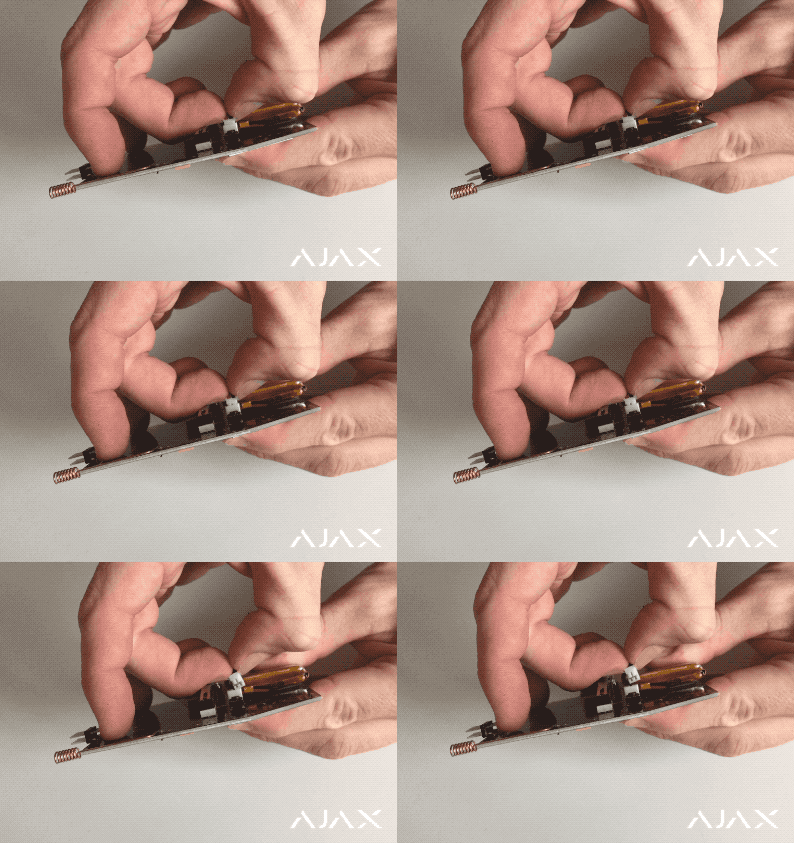
10. Separate the battery from the board. The battery can be fixed using two methods: a tape (sticker) or a double-sided adhesive tape.
If the battery of your hub is fixed with tape (sticker), pull it up by applying slight effort.
If the battery is fixed with two strips of adhesive tape, use a plastic card:
Push through the first strip of the adhesive tape without applying excessive effort.

Place a sheet of paper between the adhesive tape and the battery to prevent the battery from sticking to the board.
Repeat this procedure with the second strip of the adhesive tape.
Gently remove the residuals of the adhesive tape from the board.
Do not use sharp objects when removing the battery under any circumstances. This may compromise its integrity and cause fire.
11. Connect the terminal of the new battery to the hub board. Compatible rechargeable battery types are provided in the table.
Hub model | Battery type |
The hub manufactured after August 26, 2022, has a 3-pin battery. If the hub was manufactured earlier, the battery can be a 2-pin or 3-pin one. To find out the battery type, contact Ajax Technical Support or check it manually. | |
3 Ah, 3-pin battery for Hub/Hub 2 Plus/Hub 2 (4G) | |
The hub manufactured after Octoebr 7, 2022, has a 3-pin battery. If the hub was manufactured earlier, the battery can be a 2-pin or 3-pin one. To find out the battery type, contact Ajax Technical Support or check it manually. | |
3 Ah, 3-pin battery for Hub/Hub 2 Plus/Hub 2 (4G) | |
2 Ah, 2-pin battery for Hub/Hub 2/ReX/ReX 2 | |
3 Ah, 3-pin battery for Hub/Hub 2 Plus/Hub 2 (4G) |
12. Secure the new battery in the same place on the hub board using the bundled 3M tape with an adhesive backing without damage to the SIM card slot. If installed incorrectly, remove the battery from the board and reinstall it. Lay the battery cables as shown on the figure. Otherwise, cables may be pinched.

3-pin battery on the hub board


2-pin battery on the hub board
Old battery must be recycled according to the disposal rules of Li-ion batteries in your country!
13. Connect the boards together using the connector.
14. Carefully (in order not to bend the antennas) install the boards in the hub enclosure aligning the Ethernet, SIM, and power connectors on the board with the corresponding openings in the enclosure.
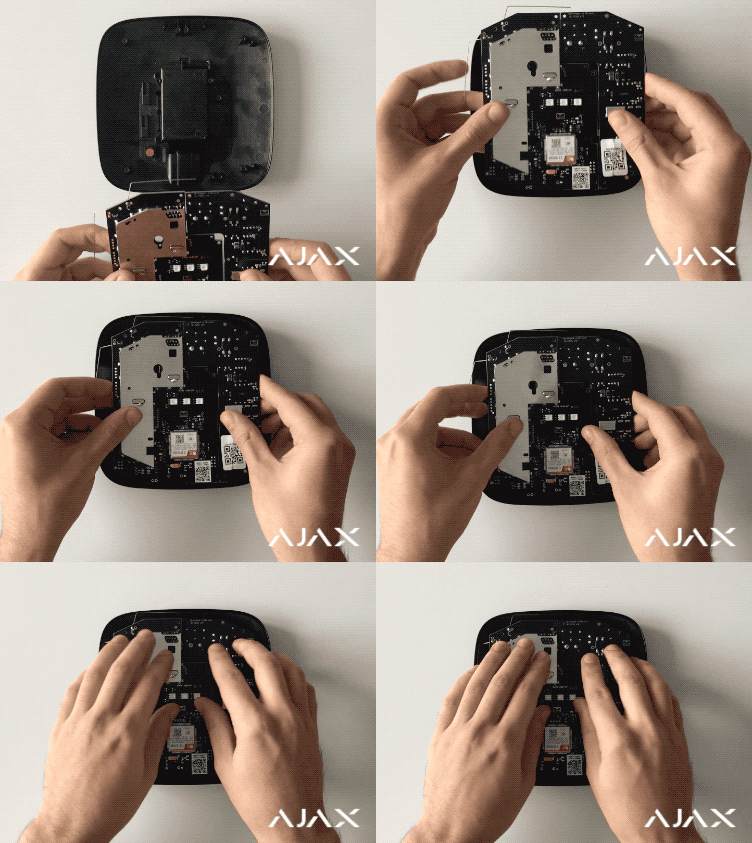
Make sure that the battery and its cables are not pinched. When installed correctly, the boards are tight on all supports and are not loose. While holding the boards with the hub’s back lid, turn the hub over. SIM card slot, power, and Ethernet connectors should fully enter the seats, and the power button should not sink in. Otherwise, remove the boards and reinstall them on the back lid.

15. Secure the board inside the enclosure with screws.

16. Cover the hub with a lid as shown on the figure, turn it over holding the hub on both sides, and fix the lid with screws.

After replacing the battery, it is necessary to check the hub operation. Turn on the hub power supply and check the change of the battery charge status after 10 minutes using the mobile application.

In case of malfunction it is recommended to contact the Ajax Systems Support or the place of purchase.
CAUTION!
Risk of explosion if battery is replaced by an incorrect type. Batteries should not be disposed of as unsorted household waste. Please, use the public collection system to return, recycle, or treat in compliance with the local regulations.