 United States
In most cases, the release of new firmware versions for detectors, sirens, control, and automation devices is due to the changes in production processes. However, some updates add new features, either to comply with regional standards or to enhance the capabilities of the Ajax system.
This article answers the following questions:
What is firmware
Firmware or embedded software is software and hardware settings stored in the non-volatile memory of the device. Essentially, it is a program that determines how a device works.
What functions depend on the device firmware
Function | Device | Firmware version |
Disabling LED indication in case of alarm | 5.55.0.0 and later | |
5.55.0.0 and later | ||
5.55.0.0 and later | ||
5.55.0.0 and later | ||
5.55.0.0 and later | ||
5.55.0.0 and later | ||
5.55.0.0 and later | ||
5.55.0.0 and later | ||
6.53.1.1 and later | ||
Connection of the roller shutter motion detector | 5.53.1.0 and later | |
Pulse mode operation | 5.54.1.0 and later | |
5.54.1.0 and later | ||
Setting the display brightness and selecting the contact state: NC/NO | 5.54.1.0 and later | |
Interconnected alarms of fire detectors | 3.42.0 and later | |
3.42.0 and later | ||
Accidental pressing filter To enable, press the button for more than 0.15 seconds | 3.18 and later | |
Advanced protection against accidental pressings: double and long press | 5.54.1.0 and later | |
Attenuation Test | 3.51.0 and later | |
3.51.0 and later | ||
3.51.0 and later | ||
3.51.0 and later | ||
3.51.0 and later | ||
3.51.0 and later | ||
3.50.0 and later | ||
4.51.0 and later | ||
3.51.0 and later | ||
3.52.0 and later | ||
Continuous LED indication regardless of the security mode Temporary device deactivation After-alarm indication Ability to turn off the siren signal in case of alarm | 3.71.0 and later | |
3.71.0 and later | ||
5.55.1.0 and later | ||
Indication of two-stage arming, as well as restoration after alarm according to PD 6662:2017 | from 4.52 to 4.99.0 | |
Keypad awakening during the activation of delay when entering | 5.60.6.3 and later | |
5.60.7.0 and later | ||
Indication of delays when entering/leaving | 3.51.0 and later | |
3.51.0 and later | ||
Chime | 5.55.1.0 and later | |
3.73.1.0 and later | ||
3.73.1.0 and later | ||
Audio annunciations according to ANSI/SIA CP-01-2019 | from 5.60.4.00 to 6.0.0.0 and | |
from 5.60.4.00 to 6.0.0.0 and 6.56.3.37 or later | ||
from 5.60.5.00 to 6.0.0.0 and | ||
from 5.60.5.00 to 6.0.0.0 and | ||
from 5.60.5.00 to 6.0.0.0 and | ||
Features to disarm by a single-step procedure according to ANSI/SIA CP-01-2019 | 5.60.7.0 or later | |
6.60.0.2 and later | ||
Alarm duration up to 15 minutes | Alarm duration of more than 3 minutes is available only for HomeSiren Jeweller with firmware version NA 5.60.4.14 or later | |
Alarm duration of more than 3 minutes is available only for StreetSiren Jeweller with firmware version NA 5.60.4.14 or later and with Quiet or Loud alarm volume | ||
Alarm duration of more than 3 minutes is available only for StreetSiren DoubleDeck with firmware version NA 5.60.4.14 or later and with Quiet or Loud alarm volume | ||
Notification of risk of fast battery discharge because of incorrect device installation | 6.59.4.15 and later (except 7.58.5.12) | |
7.58.5.14 and later | ||
HDR image | 15.59.35.14 and later | |
New automation control feature: scenario that allows not only switching automation devices from keypad screen but also check their actual state (turned on, off, offline). Additional fire alarm states: the keypad will inform about additional alarm types like alarms due to critical carbon monoxide levels or triggered by manual call points. Improved system status indications: LED indication to visually inform about ongoing Entry and Exit delays, and distinct LED signals to indicate whether system is armed or disarmed. | xx.xx.10.хх and later | |
Acknowledgment of the latest events: a feature that allows users to view and acknowledge up to 100 recent system events directly on the keypad screen. Events are grouped and sorted by the date of their occurrence. | 11.60.20.8, 12.60.20.4 or later | |
5.61.21.7, 6.61.21.7 and later |
The operating temperature range of MotionCam Jeweller also depends on the date of manufacture:
From 0°C to +40°C (date of manufacture before June 1, 2020)
From –10°C to +40°C (date of manufacture from June 1, 2020)
How to find out the firmware version device by QR code
How to find out the device ID on the box
Each package contains two device IDs: at the bottom of the box and under the lid.
ID at the bottom of the box |
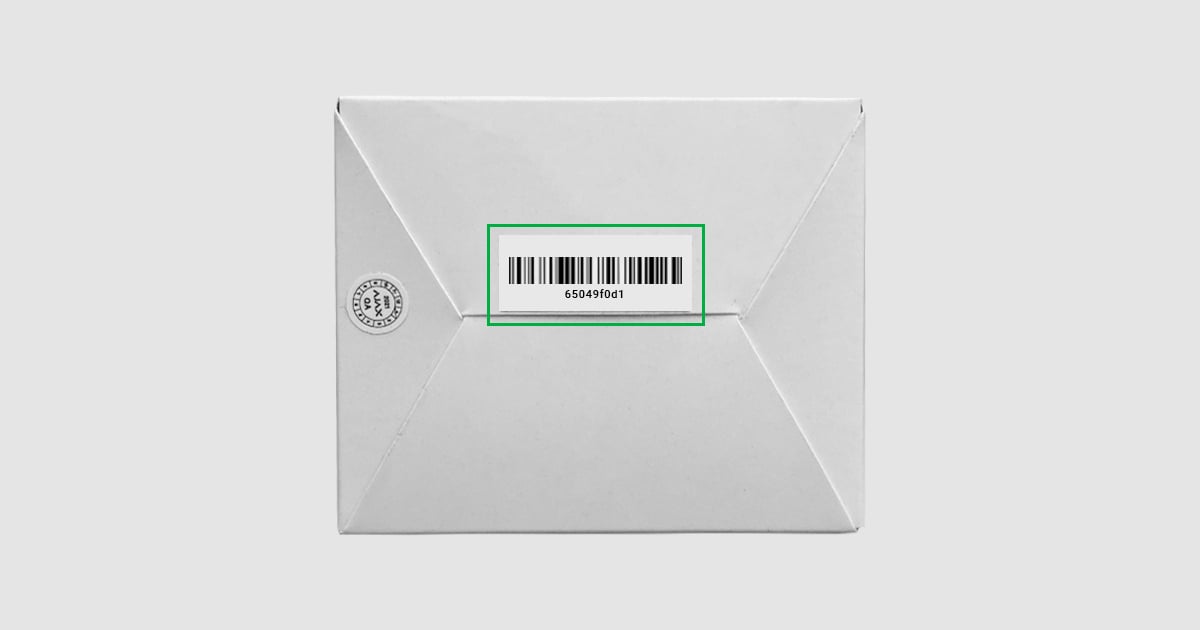 |
ID under the lid |
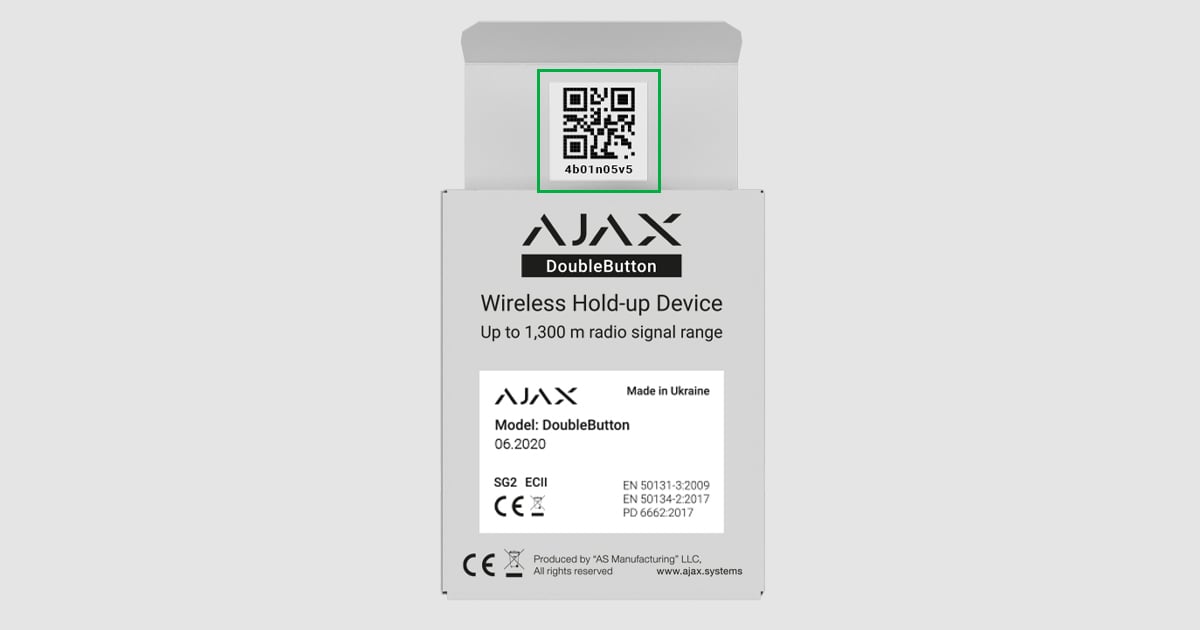 |
How to find out the device ID in the Ajax app
Select a hub from the list if you have several of them or if you are using the Ajax PRO app.
Go to the Devices
tab.
Select a device from the list. The ID is located on the status screen at the bottom.
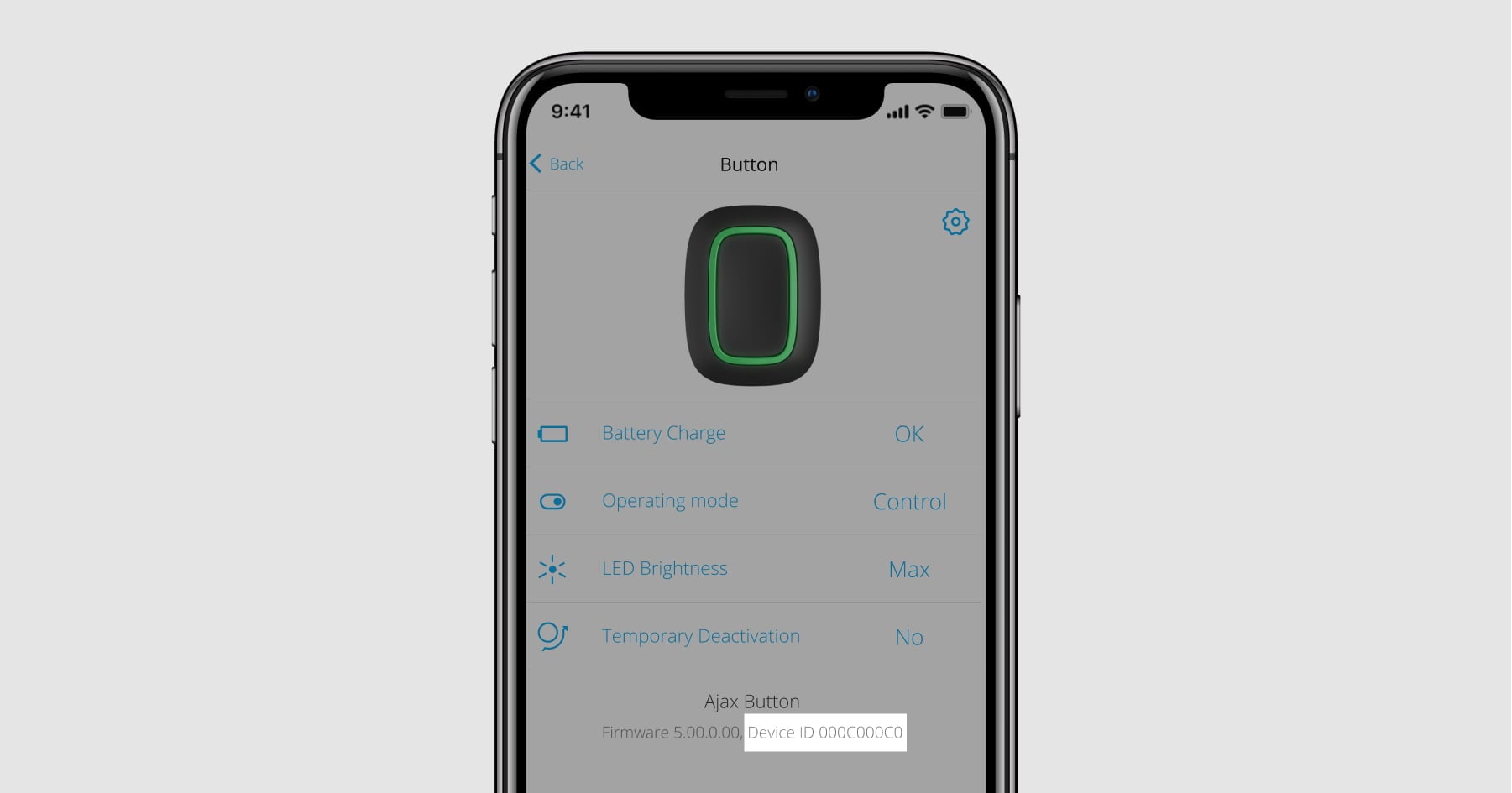
How to find out the device firmware version in the Ajax app
Select a hub from the list if you have several of them or if you are using the Ajax PRO app.
Go to the Devices
Select a device from the list. The information about the firmware version is located on the status screen at the bottom.
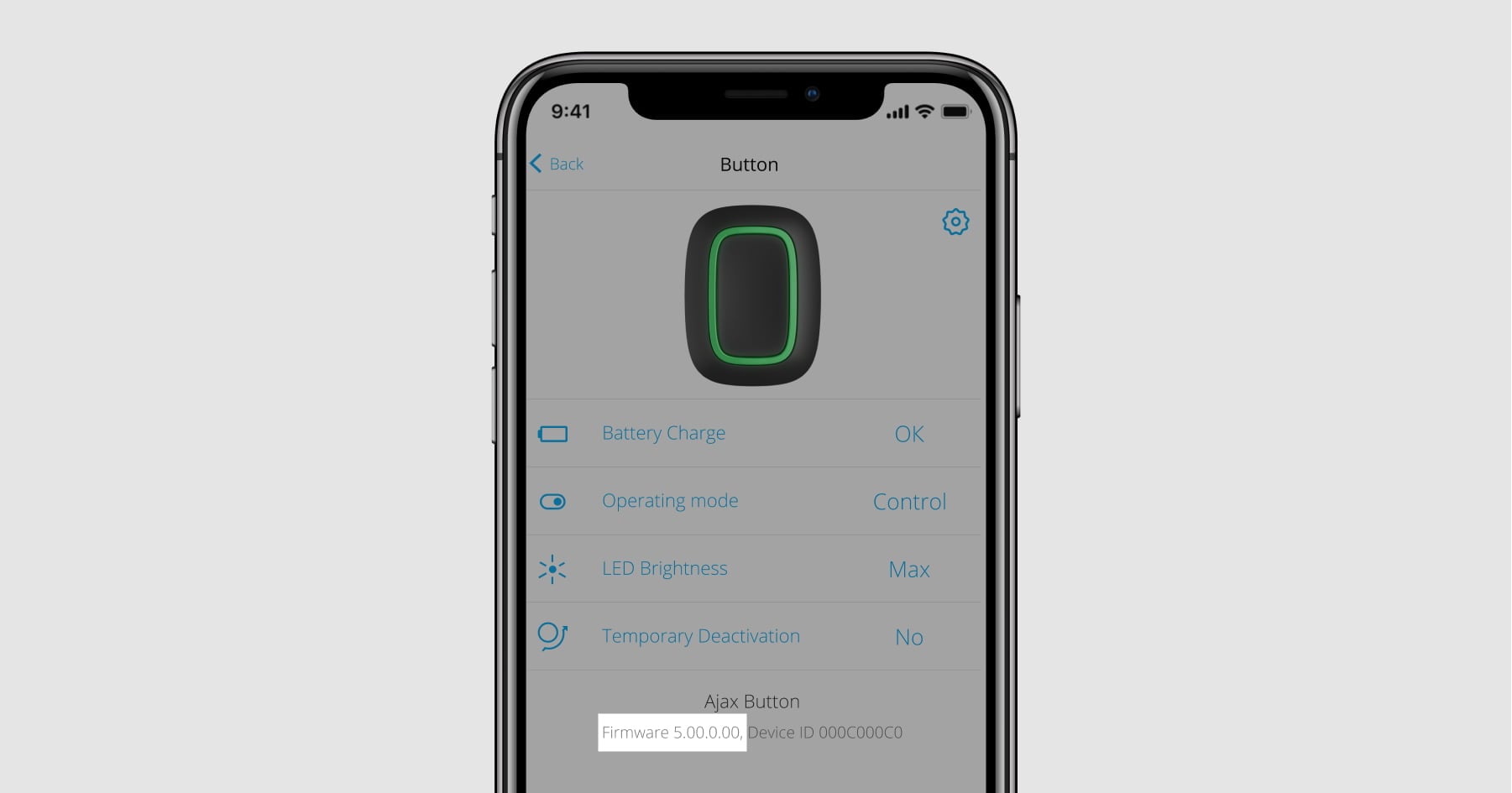
How to update the firmware
Hubs and range extenders run on OS Malevich. The firmware version is automatically updated over the air (via the Internet) as soon as a new version is available on the server.
Ajax devices get their firmware at the time of manufacture; for some of them, it is possible to update the firmware from Ajax apps. Read your device’s user manual to find out whether its firmware can be updated from the app and how to process this.
You can replace the device with a new one at the point of purchase or from your service company (for example, from installation engineers or security companies). You can check the possibility of exchange, the availability of devices, and the conditions for replacement at the point of purchase. Note that we recommend purchasing devices from authorized partners only.
If you deal with service companies, please contact them to replace the device. Keep in mind that they may charge extra money for replacing and configuring the device as additional services.